

Table of Contents
Changelog
CRM Reporting & Analytics, Custom Profile Categories, & Custom Immunization Schedules
CRM Reporting & Analytics, Custom Profile Categories, & Custom Immunization Schedules
Published
Mobile Version
597
In This Update
4 Releases
12 Improvements
2 Fixes
Mobile Version
597
4 Releases
12 Improvements
2 Fixes
Marketing & CRM
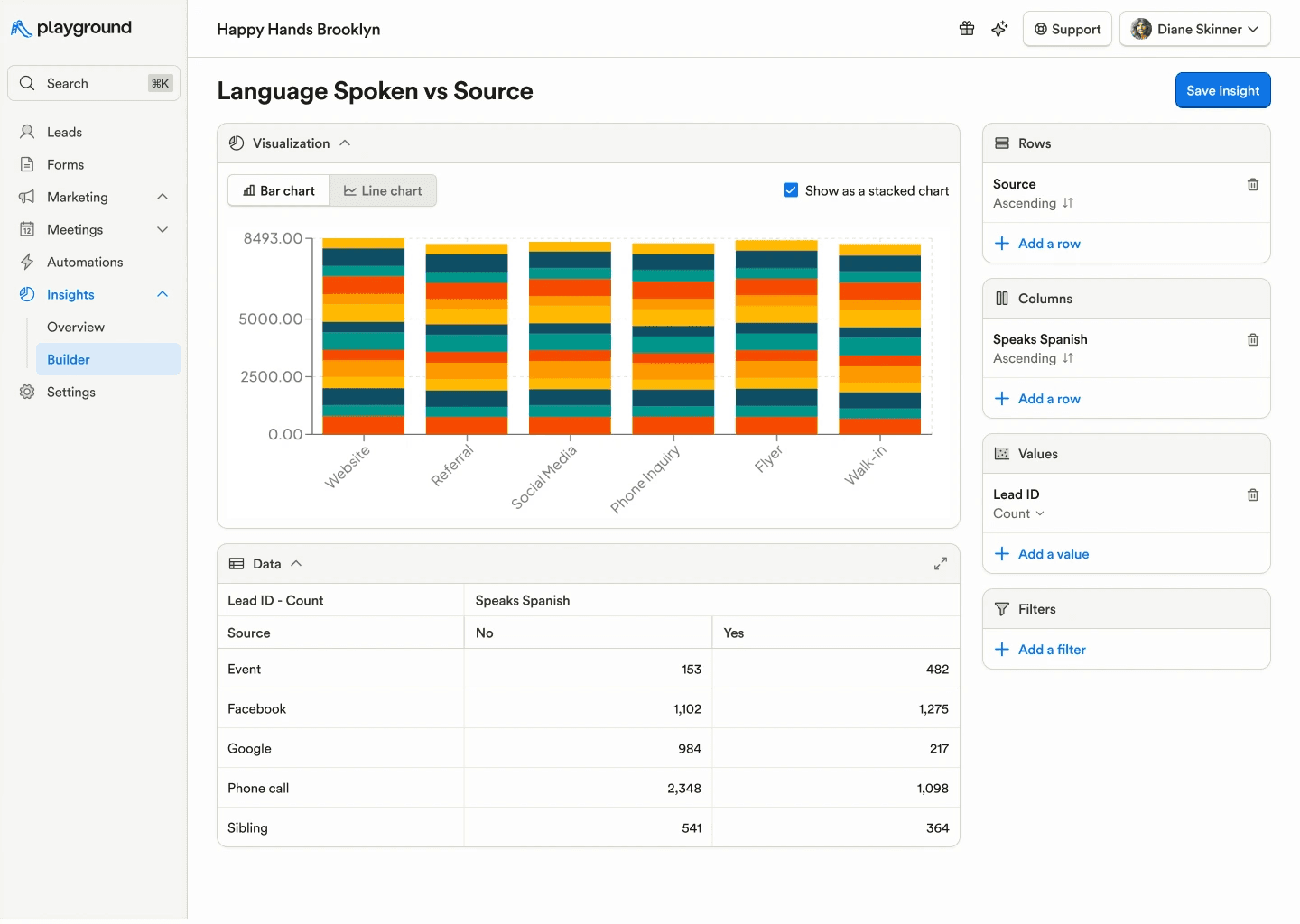
Introduced CRM reporting and analytics, including dashboards for a single view of insights, funnel reporting to track conversion through lead stages over time, and pivot views to analyze lead data with customizable tables and charts.
Files (images and PDFs) can now be attached to CRM styled email templates, matching the attachment support available in plain text emails.
Prevented duplicate lead stage names in CRM to keep pipelines clean and consistent.
Fixed an issue where the CRM Calls/SMS side panel could get stuck loading when reselecting an already open conversation.
Billing & Finances
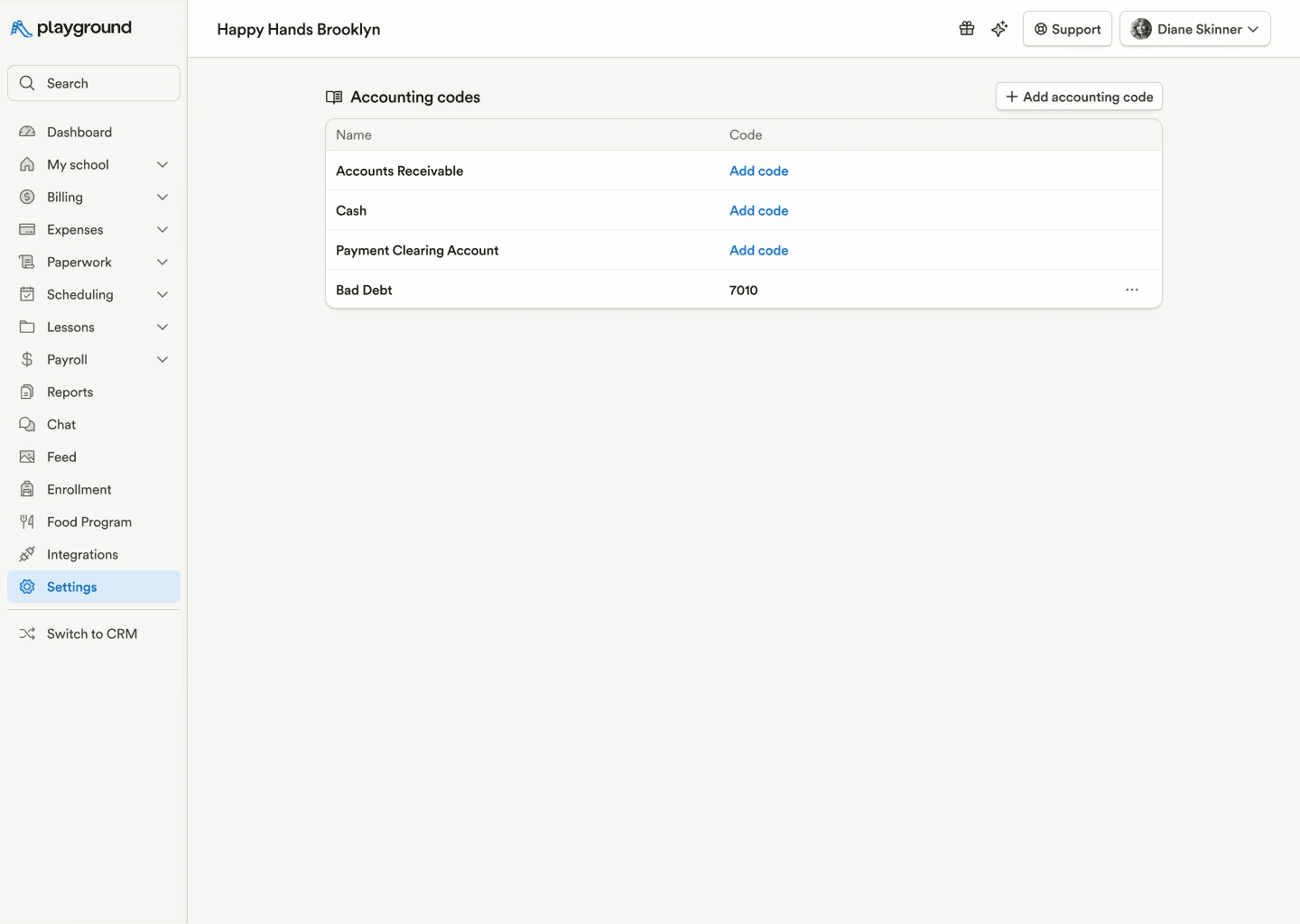
Accounting codes can now be added for default Accounts Receivable, Payment Clearing, and Cash accounts, improving financial tracking.
The business TIN is now shown in the header of all statements for clearer identification.
Payroll & HR
Added support for miscellaneous garnishments as a new post-tax deduction type across shared payroll types.
Introduced email reminders for upcoming payroll debits when payrolls are approved early.
Enrollment & Paperwork
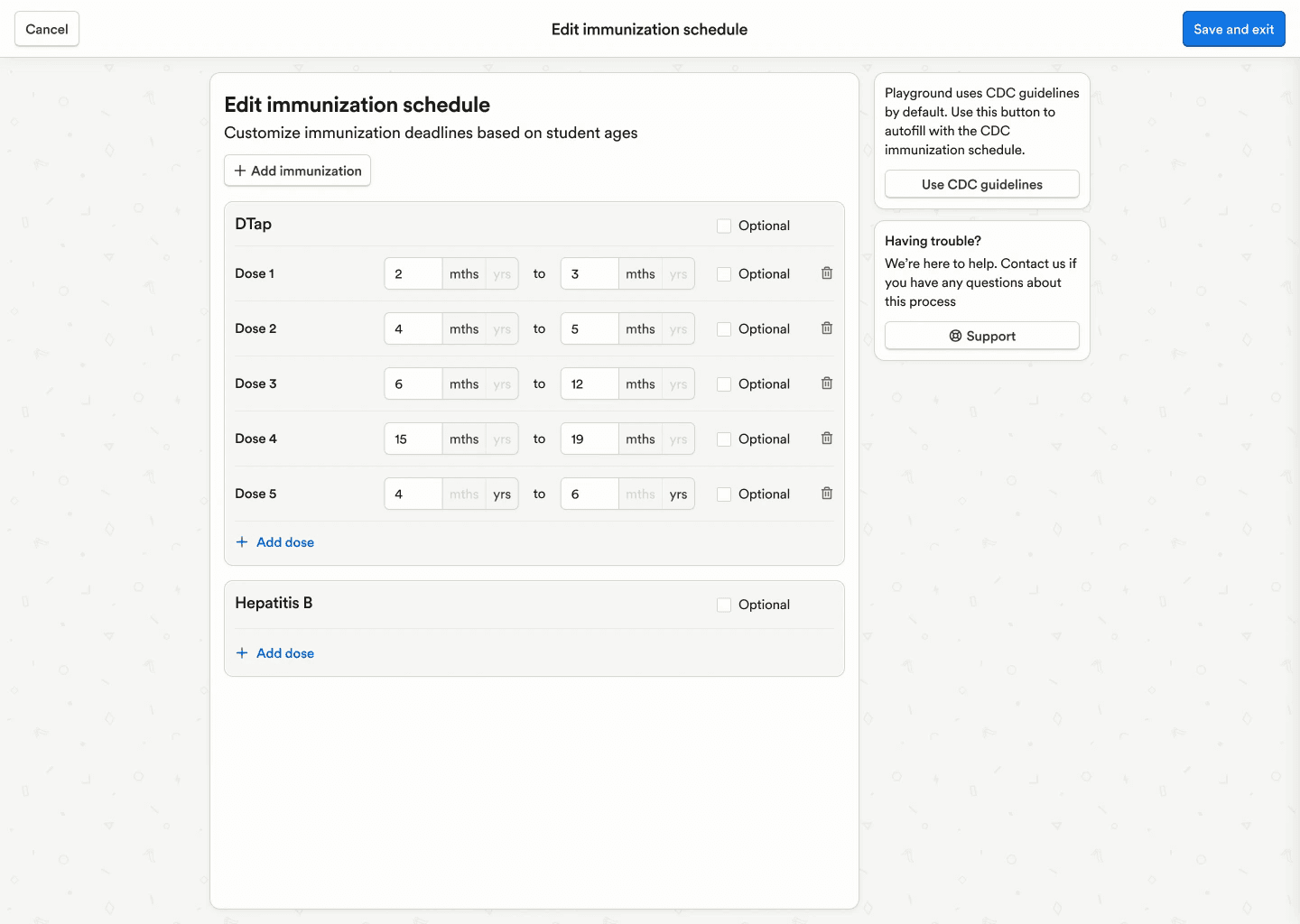
Admins can now edit the default CDC immunization schedules, including due dates, dose requirements, and optional settings, giving programs more control over compliance rules.
Student templates are now available across all student forms, automatically updating student profiles when used to reduce duplicate data entry.
A “Nickname” field has been added to the student template and can be toggled in the form builder to collect preferred names without creating custom fields.
A “Review” column is now shown by default on student paperwork views to make approval status clearer.
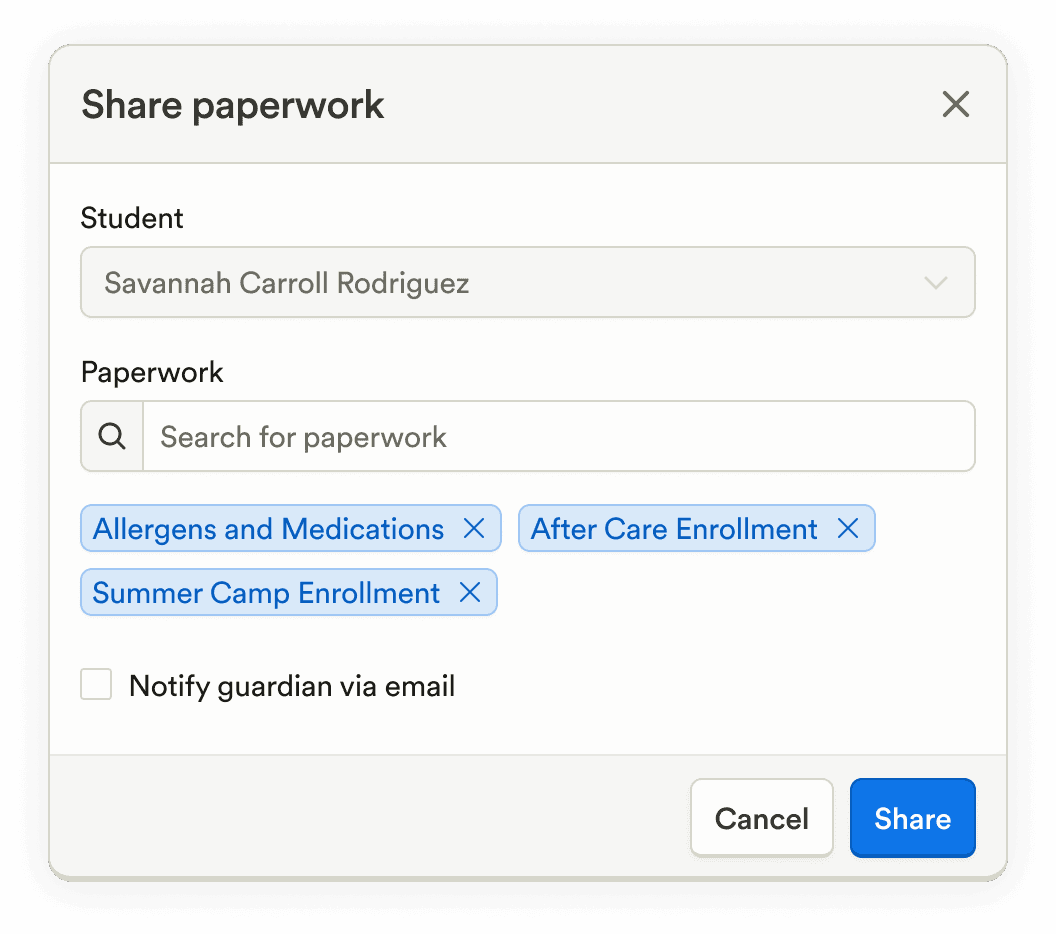
Multiple paperwork items can now be selected from the student share screen for faster sharing.
The paperwork approval flow now matches the rejection flow, allowing optional comments and email notifications for consistent communication.
Family Communication
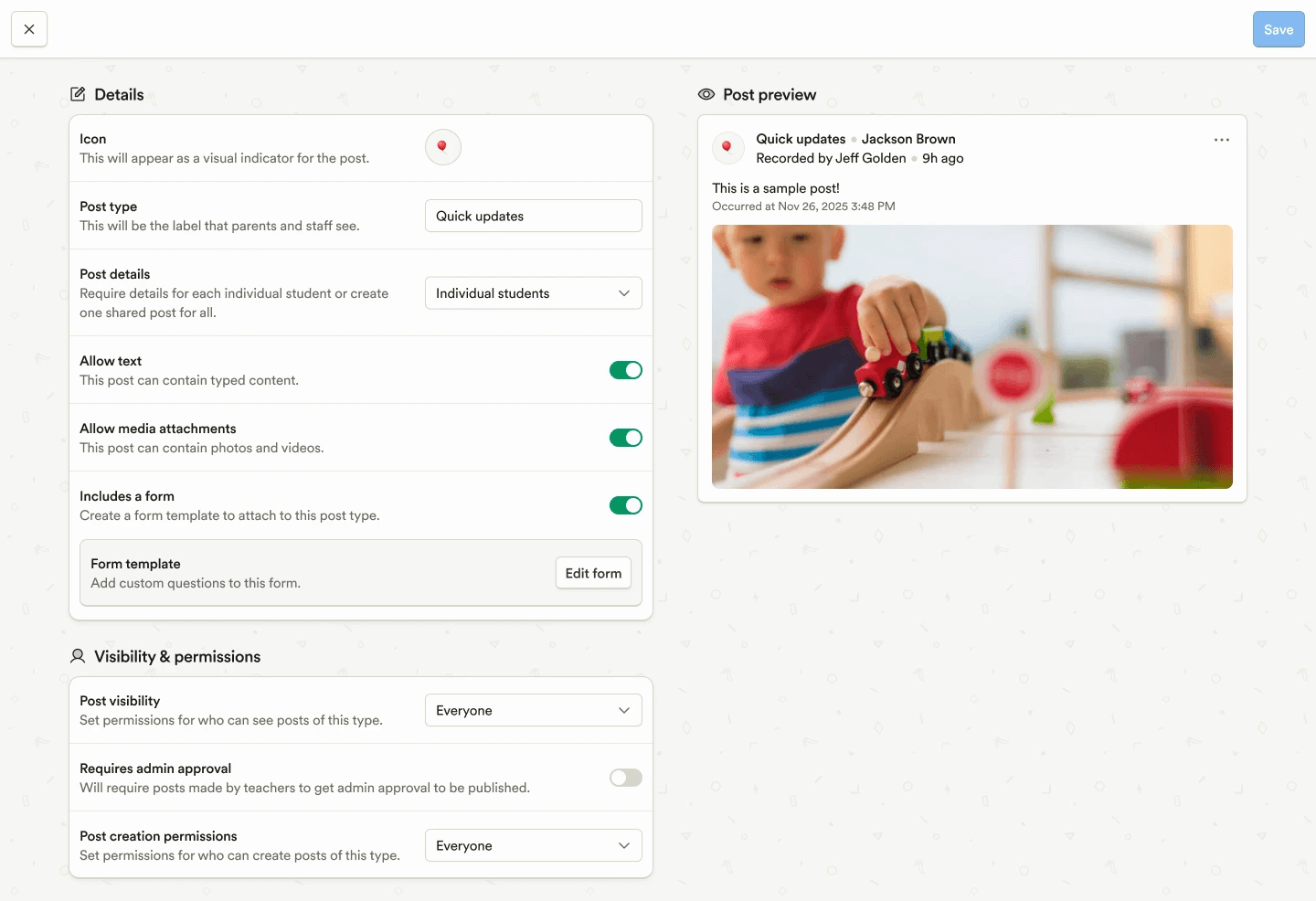
The Custom Post Template editor has been redesigned to be more intuitive and consistent with the rest of the web experience.
Reporting & Insights
Custom reports now support comprehensive sorting by student age and birthday, making analysis and exports easier.
The Daily Attendance and Meal Count report is now available at the enterprise level, supporting cross-program review.
Platform, Integrations & Admin
Custom profile categories can now be created for students, guardians, and staff, making it easier to organize custom fields.
The staff directory on mobile has been refreshed with improved navigation and a cleaner design.
Marketing & CRM
Introduced CRM reporting and analytics, including dashboards for a single view of insights, funnel reporting to track conversion through lead stages over time, and pivot views to analyze lead data with customizable tables and charts.
Files (images and PDFs) can now be attached to CRM styled email templates, matching the attachment support available in plain text emails.
Prevented duplicate lead stage names in CRM to keep pipelines clean and consistent.
Fixed an issue where the CRM Calls/SMS side panel could get stuck loading when reselecting an already open conversation.
Billing & Finances
Accounting codes can now be added for default Accounts Receivable, Payment Clearing, and Cash accounts, improving financial tracking.
The business TIN is now shown in the header of all statements for clearer identification.
Payroll & HR
Added support for miscellaneous garnishments as a new post-tax deduction type across shared payroll types.
Introduced email reminders for upcoming payroll debits when payrolls are approved early.
Enrollment & Paperwork
Admins can now edit the default CDC immunization schedules, including due dates, dose requirements, and optional settings, giving programs more control over compliance rules.
Student templates are now available across all student forms, automatically updating student profiles when used to reduce duplicate data entry.
A “Nickname” field has been added to the student template and can be toggled in the form builder to collect preferred names without creating custom fields.
A “Review” column is now shown by default on student paperwork views to make approval status clearer.
Multiple paperwork items can now be selected from the student share screen for faster sharing.
The paperwork approval flow now matches the rejection flow, allowing optional comments and email notifications for consistent communication.
Family Communication
The Custom Post Template editor has been redesigned to be more intuitive and consistent with the rest of the web experience.
Reporting & Insights
Custom reports now support comprehensive sorting by student age and birthday, making analysis and exports easier.
The Daily Attendance and Meal Count report is now available at the enterprise level, supporting cross-program review.
Platform, Integrations & Admin
Custom profile categories can now be created for students, guardians, and staff, making it easier to organize custom fields.
The staff directory on mobile has been refreshed with improved navigation and a cleaner design.
Previous releases

CRM Inbox, API for Forms, Lesson Planning on Mobile
Enterprise Custom Reports & Bulk SMS Sending For Leads

Scheduled Reports, Duplicate Management, & Better Lesson Activities
Enterprise Custom Reports & Bulk SMS Sending For Leads

Show Staff Development Days & Edit Lesson Activities From Mobile
Enterprise Custom Reports & Bulk SMS Sending For Leads

Book a demo and simplify every corner of your business.



Book a demo and simplify every corner of your business.
