

Table of Contents
Changelog
Deleting Installments & Transfer Students
Deleting Installments & Transfer Students
Published
Mobile Version
587
In This Update
2 Releases
13 Improvements
5 Fixes
Mobile Version
587
2 Releases
13 Improvements
5 Fixes
Marketing & CRM
For enterprise CRM users, a confirmation modal has been added before deleting automations to prevent accidental removals.
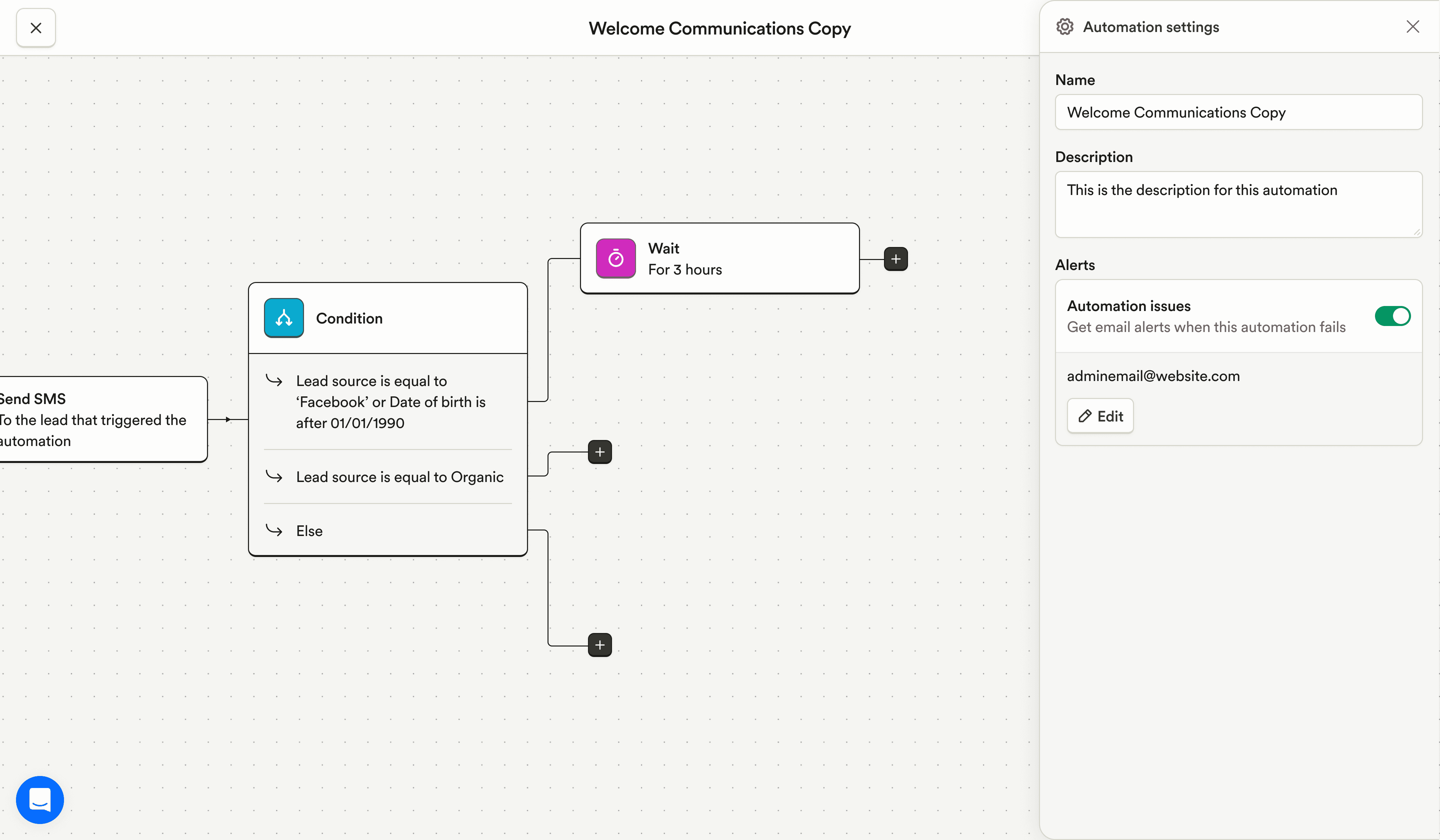
An email notification system has been added for CRM automation failures, allowing teams to configure recipients and receive detailed failure alerts.
CRM notifications now appear on both the lead’s assigned program and the phone number’s assigned program when they differ, improving visibility for distributed teams.
Validation errors now display correctly when adding leads with invalid data, making issues easier to resolve.
The CRM automations filter now works correctly when using multi-select operators.
Billing & Finances
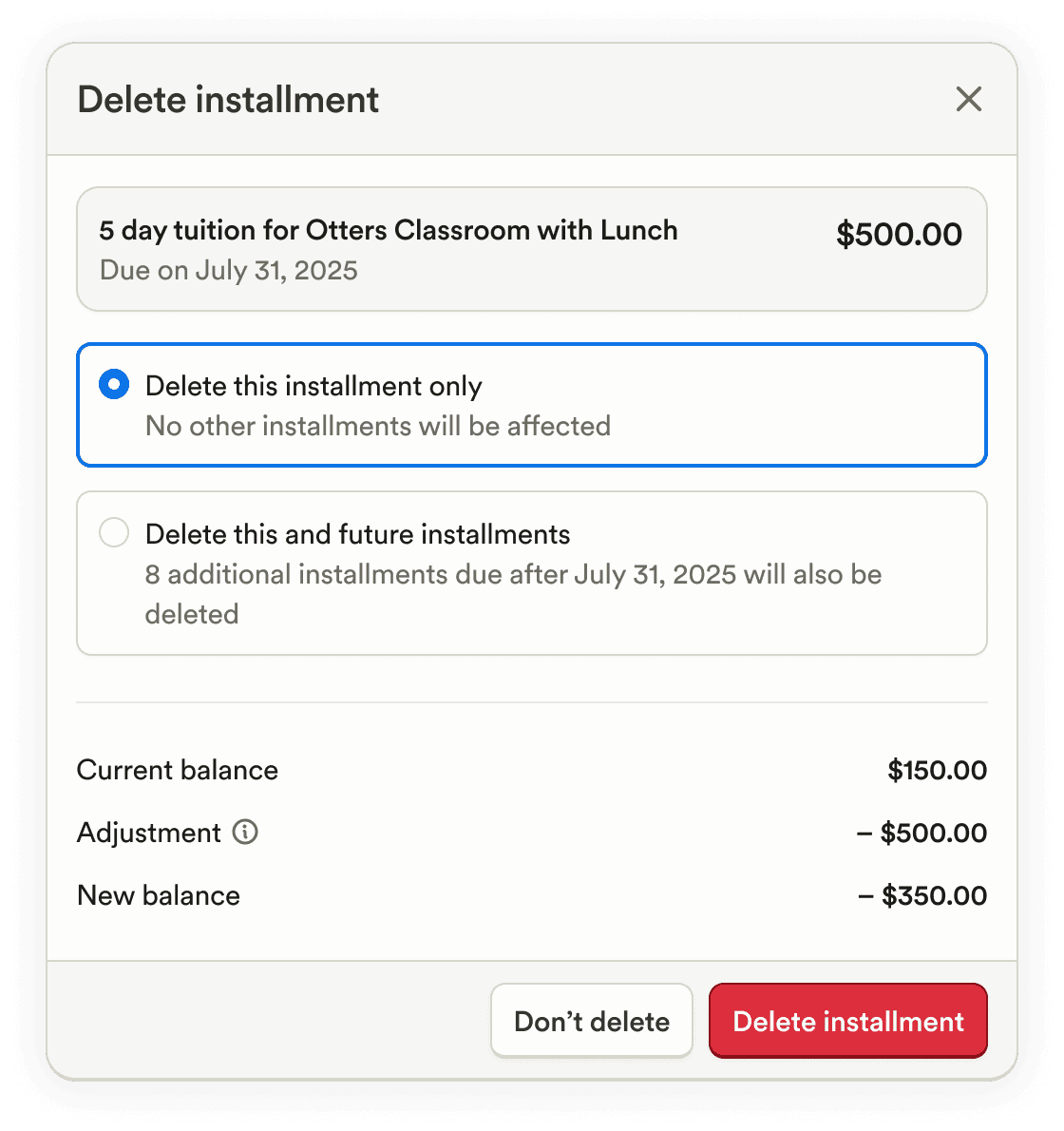
When deleting charges or payments, the impact on a student’s balance is now clearly shown, including the adjustment amount, the new balance, and a confirmation step before applying the change.
The Grouped Transactions report now shows the accounting name in the correct column for clearer financial review.
Enrollment & Paperwork
Staff document expiration dates can now be edited, making it easier to correct or extend documentation as needed.
In the create-student wizard, guardian selection now shows subtitles with attached students when adding to an existing family, helping identify the correct guardian.
Guardians with the same name can now be added within the same program without errors.
Attendance & Ratios
From the Schedules page, student names are now clickable to open profiles and take relevant actions more quickly.
Food Program (CACFP)
The CACFP Invalid Entries report is now supported at the enterprise level, making it easier to review issues across multiple programs.
Family Communication
Feed posts are now automatically saved as drafts in the browser, allowing edits even after leaving the page.
A copy icon has been added to guardian profiles to quickly copy a guardian’s email address.
A Feed tab has been added to staff profiles to show posts relevant to that staff member.
In web chat, messages can now be marked as unread to help remember to follow up on important conversations.
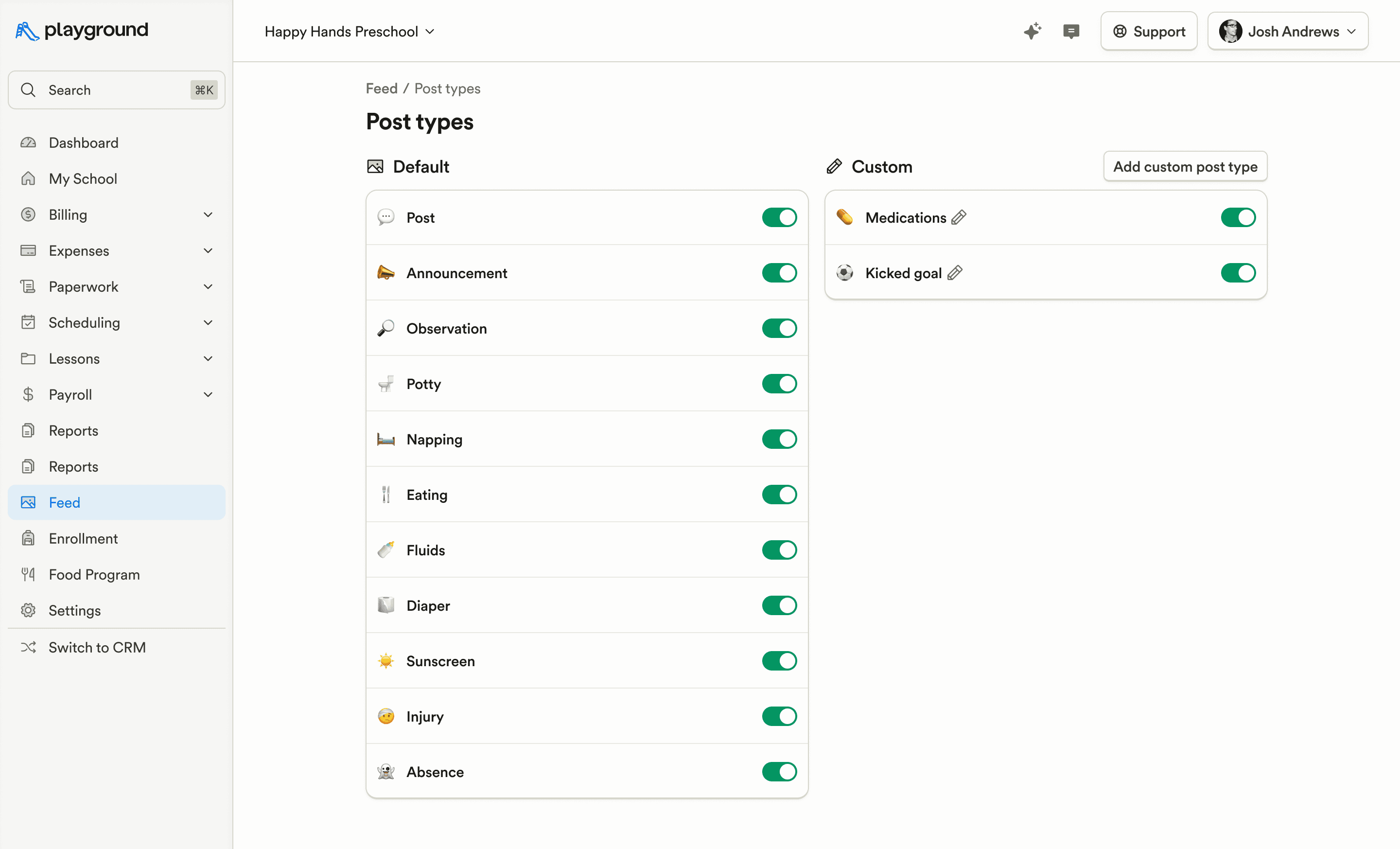
Post Types and Post Templates pages have received visual updates to make them easier to understand and manage.
Platform, Integrations & Admin
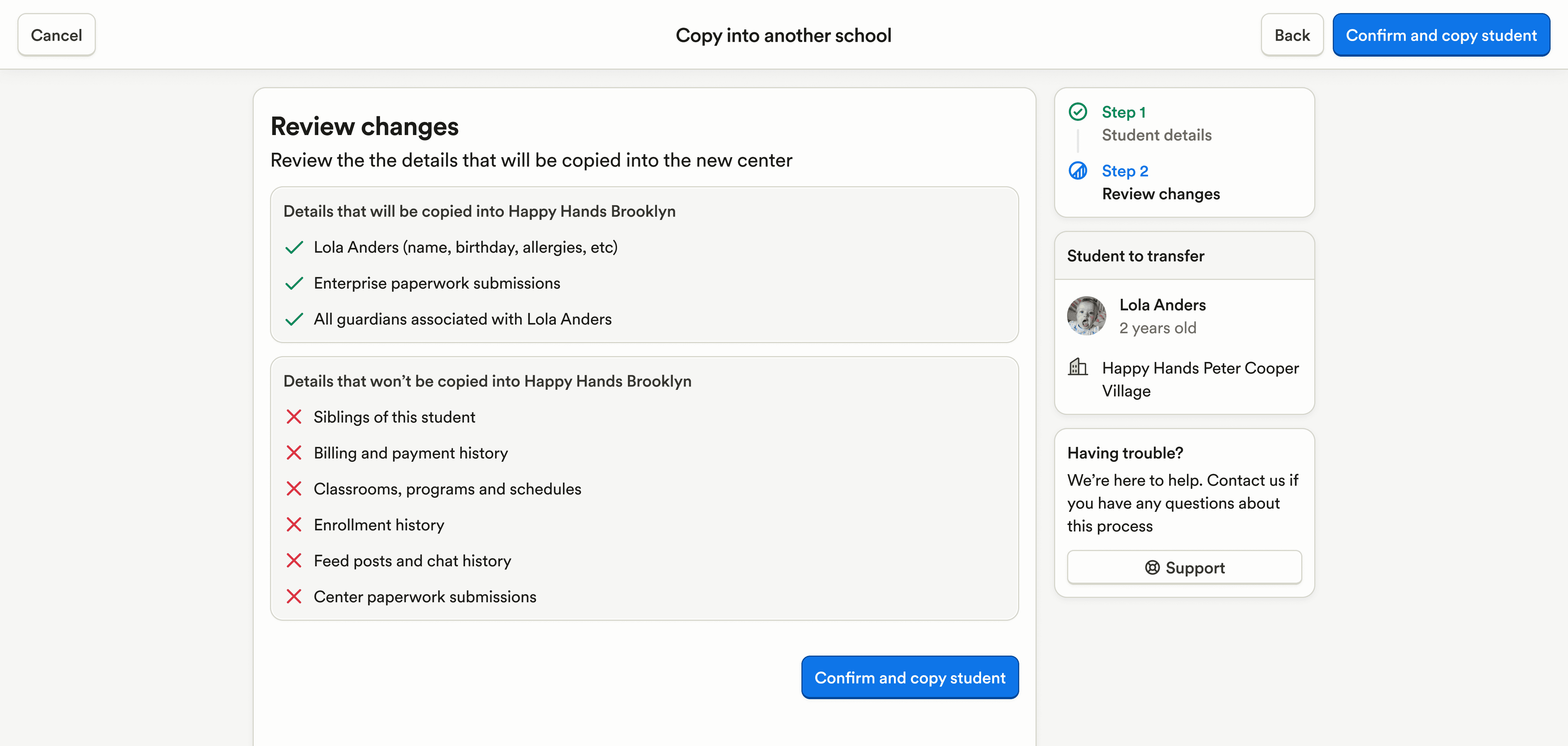
The flow for moving students from one program to another has been redesigned with clearer steps and outcomes, reducing confusion during transfers.
For enterprise users not scoped to a specific program, clicking the Playground logo now routes to the enterprise programs page instead of attempting program-level navigation.
Marketing & CRM
For enterprise CRM users, a confirmation modal has been added before deleting automations to prevent accidental removals.
An email notification system has been added for CRM automation failures, allowing teams to configure recipients and receive detailed failure alerts.
CRM notifications now appear on both the lead’s assigned program and the phone number’s assigned program when they differ, improving visibility for distributed teams.
Validation errors now display correctly when adding leads with invalid data, making issues easier to resolve.
The CRM automations filter now works correctly when using multi-select operators.
Billing & Finances
When deleting charges or payments, the impact on a student’s balance is now clearly shown, including the adjustment amount, the new balance, and a confirmation step before applying the change.
The Grouped Transactions report now shows the accounting name in the correct column for clearer financial review.
Enrollment & Paperwork
Staff document expiration dates can now be edited, making it easier to correct or extend documentation as needed.
In the create-student wizard, guardian selection now shows subtitles with attached students when adding to an existing family, helping identify the correct guardian.
Guardians with the same name can now be added within the same program without errors.
Attendance & Ratios
From the Schedules page, student names are now clickable to open profiles and take relevant actions more quickly.
Food Program (CACFP)
The CACFP Invalid Entries report is now supported at the enterprise level, making it easier to review issues across multiple programs.
Family Communication
Feed posts are now automatically saved as drafts in the browser, allowing edits even after leaving the page.
A copy icon has been added to guardian profiles to quickly copy a guardian’s email address.
A Feed tab has been added to staff profiles to show posts relevant to that staff member.
In web chat, messages can now be marked as unread to help remember to follow up on important conversations.
Post Types and Post Templates pages have received visual updates to make them easier to understand and manage.
Platform, Integrations & Admin
The flow for moving students from one program to another has been redesigned with clearer steps and outcomes, reducing confusion during transfers.
For enterprise users not scoped to a specific program, clicking the Playground logo now routes to the enterprise programs page instead of attempting program-level navigation.
Previous releases

CRM Inbox, API for Forms, Lesson Planning on Mobile
Enterprise Custom Reports & Bulk SMS Sending For Leads

Scheduled Reports, Duplicate Management, & Better Lesson Activities
Enterprise Custom Reports & Bulk SMS Sending For Leads

Show Staff Development Days & Edit Lesson Activities From Mobile
Enterprise Custom Reports & Bulk SMS Sending For Leads

Book a demo and simplify every corner of your business.




Book a demo and simplify every corner of your business.
