

Table of Contents
Changelog
Draft Posts
Draft Posts
Published
Mobile Version
589
In This Update
1 Releases
12 Improvements
3 Fixes
Mobile Version
589
1 Releases
12 Improvements
3 Fixes
Marketing & CRM
CRM meeting defaults have been updated to align with best practices, helping teams schedule and manage meetings more consistently.
Phone numbers are now required by default on CRM forms, making it easier to collect contact details and connect with new leads.
CRM age filtering now supports a value of “0,” allowing filtering for students less than one month old.
Billing & Finances
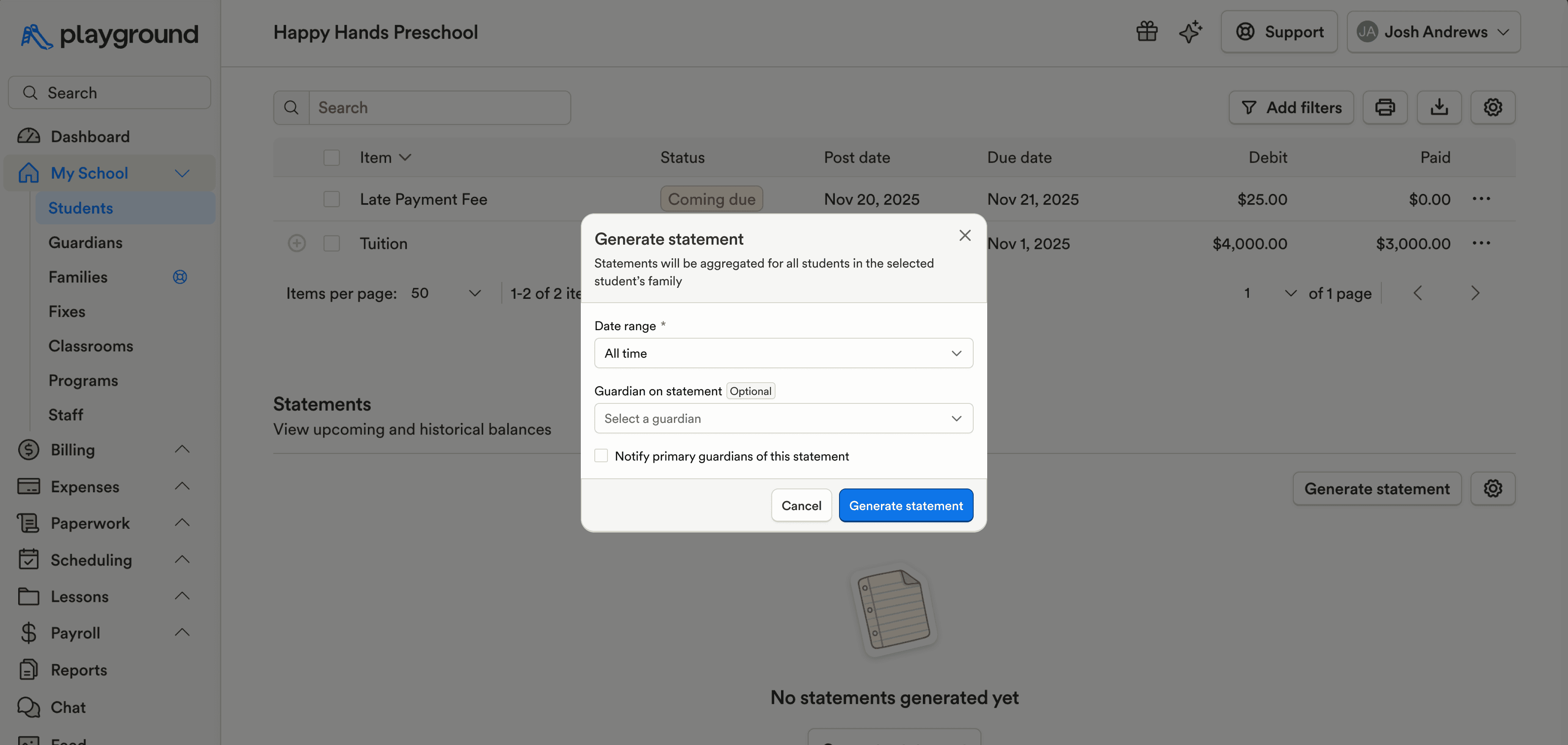
Generated statements now display the name of the guardian who generated the statement, adding clarity when statements are shared or reviewed.
Credit transactions can now include an “Initiated by” column, making it easier to see who created a transaction.
Payroll & HR
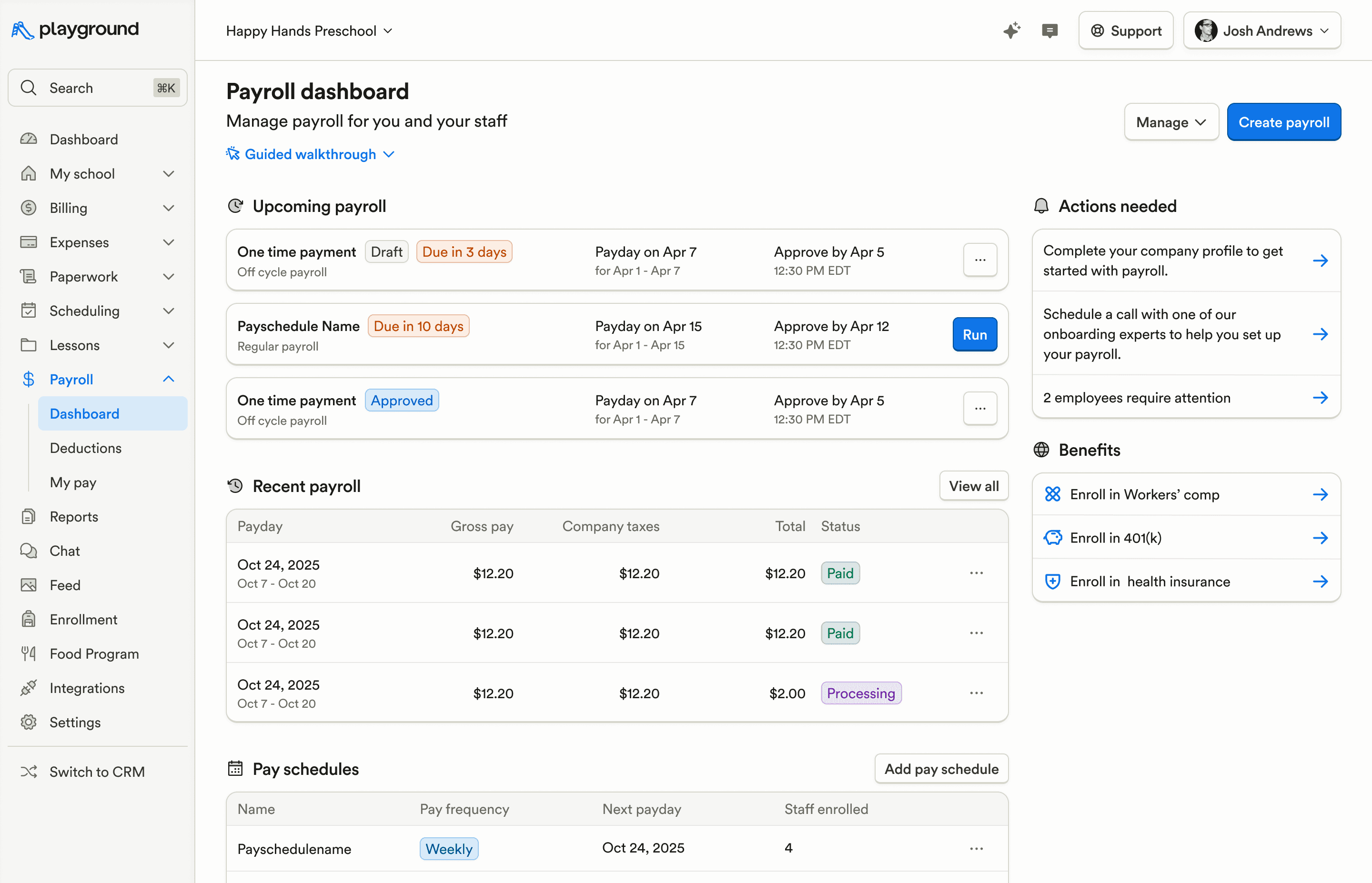
The payroll dashboard has been refreshed with a simpler, more navigable design that’s consistent with the rest of the platform.
The Payroll tab on staff profiles has been refreshed to match the updated design used elsewhere.
Enrollment & Paperwork
Admins can now edit transitions from the Student Profile > Activity > Transition Log page, making it easier to correct or adjust transition details.
Roster uploads now automatically create custom fields (e.g., Doctor’s Name), reducing manual setup after import.
Attendance & Ratios
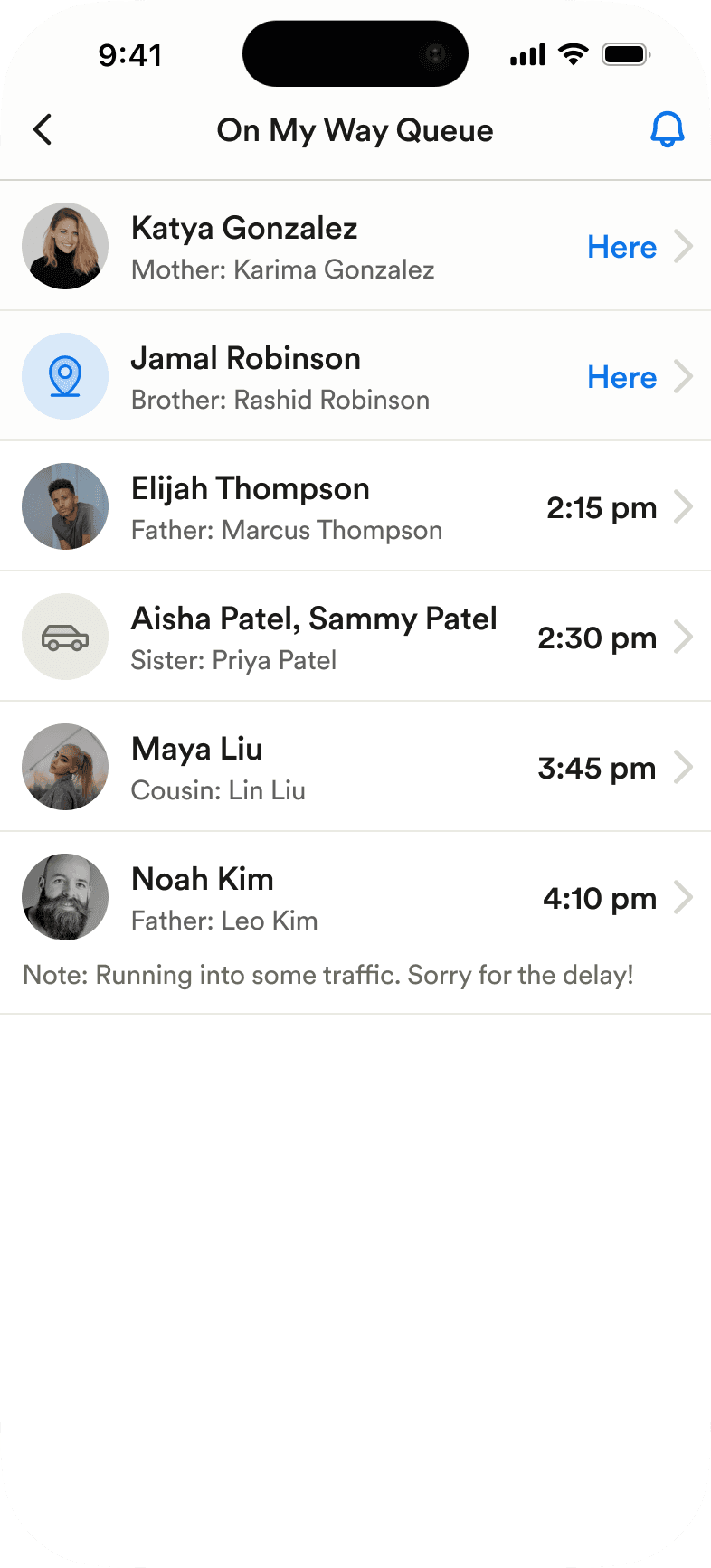
In the On My Way queue, guardian photos and relationships are now shown, with a simplified ETA display to make pickup status easier to understand at a glance.
Food Program (CACFP)
Menu amounts can now be entered without requiring a corresponding unit, supporting more flexible meal entry.
Family Communication
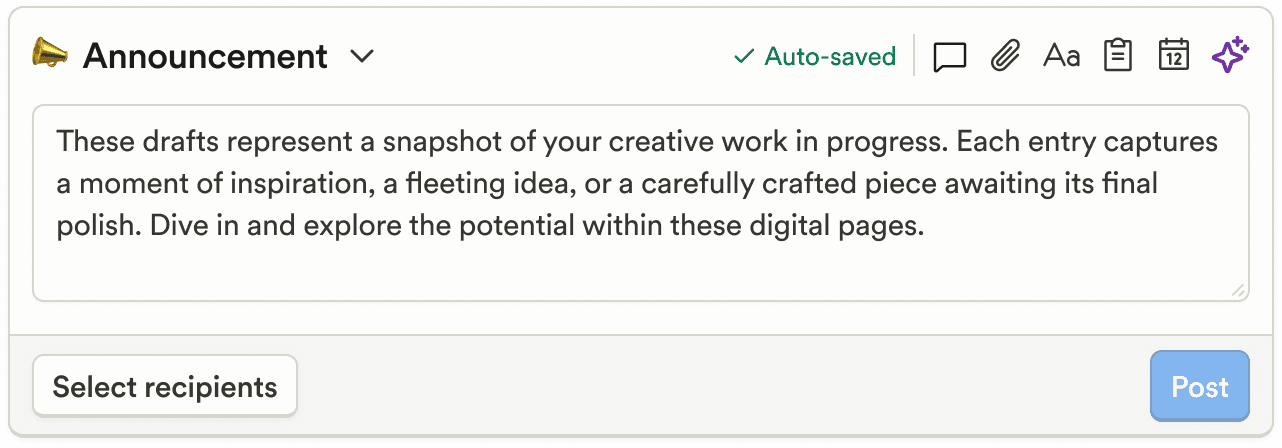
Feed post drafts are now automatically saved on web and mobile, so work isn’t lost if you leave the page or app before publishing.
After uploading an attachment when creating a post, you can now click to preview it and confirm it’s correct before posting.
Attachments in the media gallery can now be downloaded directly to your computer.
Prevented rare cases where pending post indicators appeared when no posts were actually pending.
Active chat hours are no longer shown in Settings unless they’ve been configured.
Marketing & CRM
CRM meeting defaults have been updated to align with best practices, helping teams schedule and manage meetings more consistently.
Phone numbers are now required by default on CRM forms, making it easier to collect contact details and connect with new leads.
CRM age filtering now supports a value of “0,” allowing filtering for students less than one month old.
Billing & Finances
Generated statements now display the name of the guardian who generated the statement, adding clarity when statements are shared or reviewed.
Credit transactions can now include an “Initiated by” column, making it easier to see who created a transaction.
Payroll & HR
The payroll dashboard has been refreshed with a simpler, more navigable design that’s consistent with the rest of the platform.
The Payroll tab on staff profiles has been refreshed to match the updated design used elsewhere.
Enrollment & Paperwork
Admins can now edit transitions from the Student Profile > Activity > Transition Log page, making it easier to correct or adjust transition details.
Roster uploads now automatically create custom fields (e.g., Doctor’s Name), reducing manual setup after import.
Attendance & Ratios
In the On My Way queue, guardian photos and relationships are now shown, with a simplified ETA display to make pickup status easier to understand at a glance.
Food Program (CACFP)
Menu amounts can now be entered without requiring a corresponding unit, supporting more flexible meal entry.
Family Communication
Feed post drafts are now automatically saved on web and mobile, so work isn’t lost if you leave the page or app before publishing.
After uploading an attachment when creating a post, you can now click to preview it and confirm it’s correct before posting.
Attachments in the media gallery can now be downloaded directly to your computer.
Prevented rare cases where pending post indicators appeared when no posts were actually pending.
Active chat hours are no longer shown in Settings unless they’ve been configured.
Previous releases

CRM Inbox, API for Forms, Lesson Planning on Mobile
Enterprise Custom Reports & Bulk SMS Sending For Leads

Scheduled Reports, Duplicate Management, & Better Lesson Activities
Enterprise Custom Reports & Bulk SMS Sending For Leads

Show Staff Development Days & Edit Lesson Activities From Mobile
Enterprise Custom Reports & Bulk SMS Sending For Leads

Book a demo and simplify every corner of your business.




Book a demo and simplify every corner of your business.
