

Table of Contents
Changelog
Filter Payments & Subsidy Record Flow
Filter Payments & Subsidy Record Flow
Published
Mobile Version
587
In This Update
2 Releases
20 Improvements
5 Fixes
Mobile Version
587
2 Releases
20 Improvements
5 Fixes
Marketing & CRM
Fixed spacing issues in tour booking notification emails for cleaner communication.
SMS conversations now show how many message segments were used, helping teams better understand texting usage and limits.
Billing & Finances
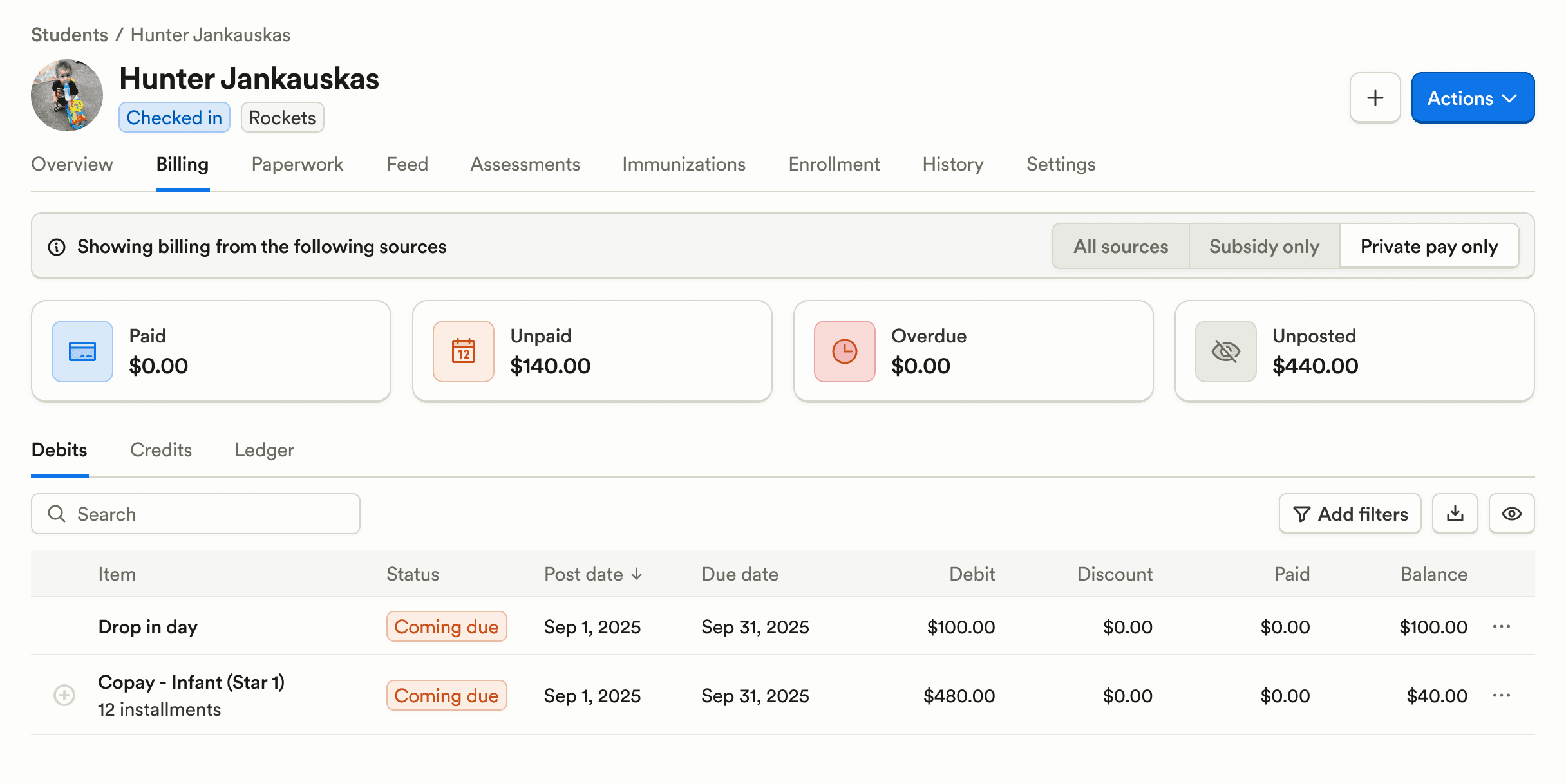
Student payments can now be filtered to view private pay, subsidy, or combined ledgers, making it easier to understand balances and payment sources.
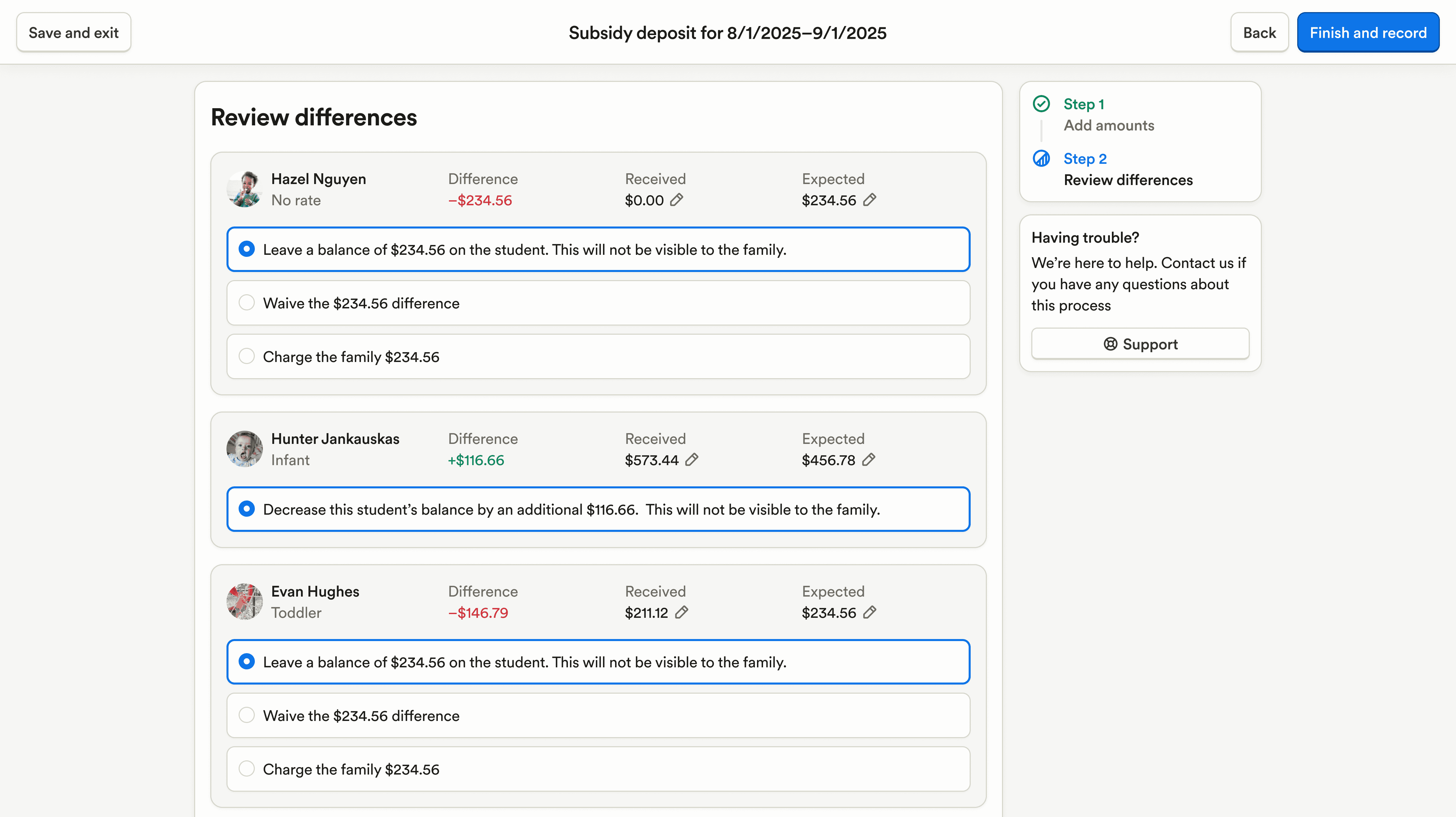
The subsidy record deposit flow has been refreshed with clearer totals and more context when taking actions, improving accuracy during reconciliation.
Creating debits has been significantly sped up, reducing wait time during billing setup.
Subsidy tables can now be sorted, making large datasets easier to review.
Better labeling has been added to distinguish credits versus balances on the student profile.
Discount codes now appear on enrollment applications, giving families clearer visibility into applied discounts.
Payroll & HR
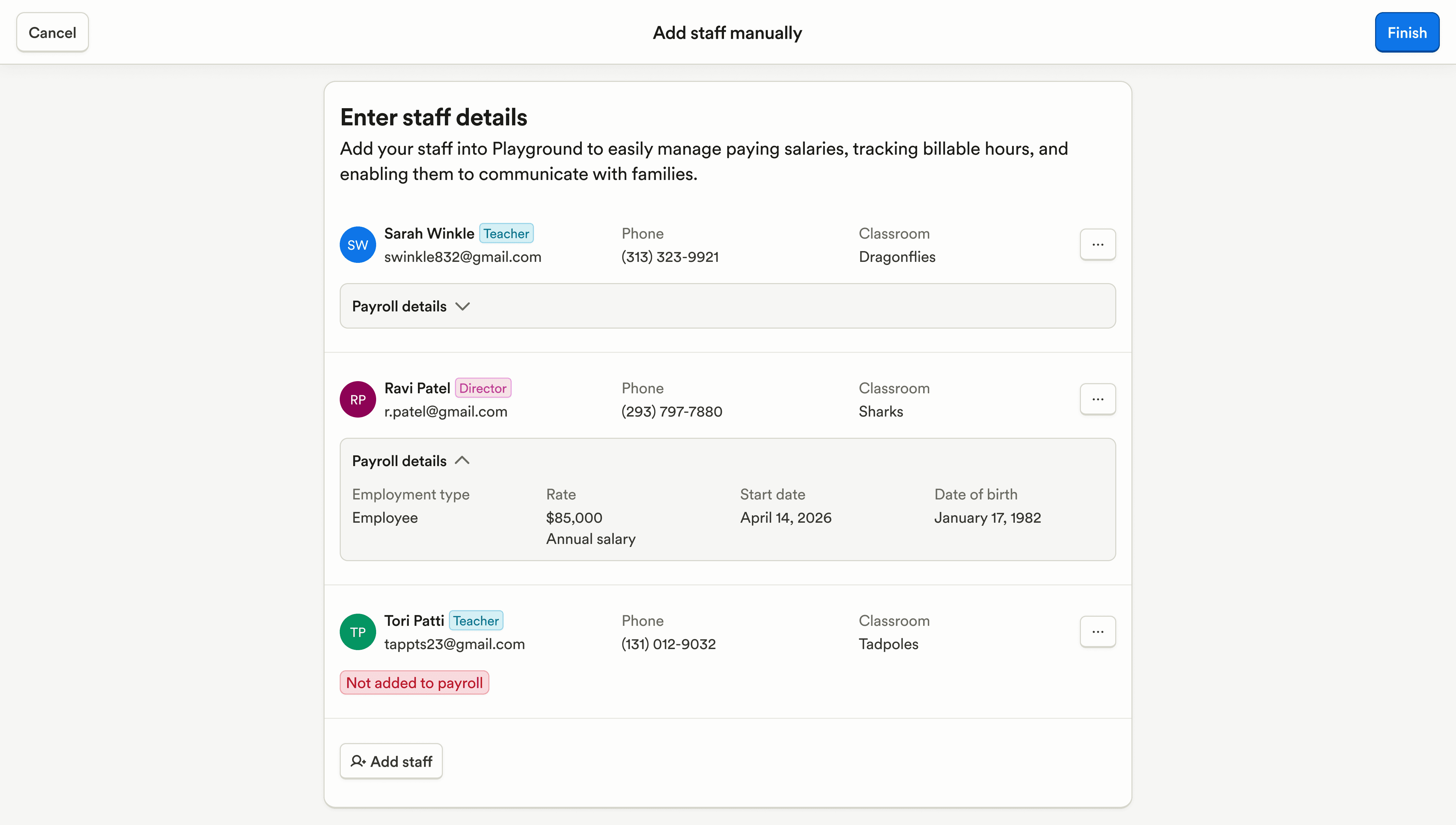
Staff can now be added to payroll during bulk staff uploads, streamlining initial setup.
Time in and time out fields have been added to the staff time tracker for clearer time tracking.
Enrollment & Paperwork
Student and account merging has been improved to reduce duplicate records and cleanup issues.
Duplicate program enrollments are now automatically prevented during enrollment.
Submitted documents can no longer have their expiration dates edited, protecting document integrity.
Listing pages and photos now load faster and are more responsive on mobile.
Attendance & Ratios
Recurring schedules can now be bulk deleted, making large schedule changes faster.
Closed dates can now be set for drop-in availability, helping programs better manage capacity.
Food Program (CACFP)
Infant food menus can now be duplicated, saving time when creating similar menus across classrooms.
Family Communication
Newsletters can now be exported and imported, making it easier to reuse content across programs.
Filters in chat have been improved, making it easier to find relevant conversations.
Media gallery can now be filtered by date to quickly find photos and files.
More context is now shown when taking actions on chats, reducing uncertainty about what will happen next.
Platform, Integrations & Admin
The student settings page has been updated to match the rest of the settings experience for better consistency.
Guardian activity and history are now better grouped together for easier review.
Enterprise-level filters now persist as you navigate, reducing repetitive setup.
Classroom descriptions now appear in classroom filters to improve clarity when selecting classrooms.
Leading and trailing whitespace is now automatically removed from product names to prevent duplicates.
Fixed issues with the mobile keyboard showing and hiding incorrectly when adding attachments.
Marketing & CRM
Fixed spacing issues in tour booking notification emails for cleaner communication.
SMS conversations now show how many message segments were used, helping teams better understand texting usage and limits.
Billing & Finances
Student payments can now be filtered to view private pay, subsidy, or combined ledgers, making it easier to understand balances and payment sources.
The subsidy record deposit flow has been refreshed with clearer totals and more context when taking actions, improving accuracy during reconciliation.
Creating debits has been significantly sped up, reducing wait time during billing setup.
Subsidy tables can now be sorted, making large datasets easier to review.
Better labeling has been added to distinguish credits versus balances on the student profile.
Discount codes now appear on enrollment applications, giving families clearer visibility into applied discounts.
Payroll & HR
Staff can now be added to payroll during bulk staff uploads, streamlining initial setup.
Time in and time out fields have been added to the staff time tracker for clearer time tracking.
Enrollment & Paperwork
Student and account merging has been improved to reduce duplicate records and cleanup issues.
Duplicate program enrollments are now automatically prevented during enrollment.
Submitted documents can no longer have their expiration dates edited, protecting document integrity.
Listing pages and photos now load faster and are more responsive on mobile.
Attendance & Ratios
Recurring schedules can now be bulk deleted, making large schedule changes faster.
Closed dates can now be set for drop-in availability, helping programs better manage capacity.
Food Program (CACFP)
Infant food menus can now be duplicated, saving time when creating similar menus across classrooms.
Family Communication
Newsletters can now be exported and imported, making it easier to reuse content across programs.
Filters in chat have been improved, making it easier to find relevant conversations.
Media gallery can now be filtered by date to quickly find photos and files.
More context is now shown when taking actions on chats, reducing uncertainty about what will happen next.
Platform, Integrations & Admin
The student settings page has been updated to match the rest of the settings experience for better consistency.
Guardian activity and history are now better grouped together for easier review.
Enterprise-level filters now persist as you navigate, reducing repetitive setup.
Classroom descriptions now appear in classroom filters to improve clarity when selecting classrooms.
Leading and trailing whitespace is now automatically removed from product names to prevent duplicates.
Fixed issues with the mobile keyboard showing and hiding incorrectly when adding attachments.
Previous releases

CRM Inbox, API for Forms, Lesson Planning on Mobile
Enterprise Custom Reports & Bulk SMS Sending For Leads

Scheduled Reports, Duplicate Management, & Better Lesson Activities
Enterprise Custom Reports & Bulk SMS Sending For Leads

Show Staff Development Days & Edit Lesson Activities From Mobile
Enterprise Custom Reports & Bulk SMS Sending For Leads

Book a demo and simplify every corner of your business.




Book a demo and simplify every corner of your business.
