

Table of Contents
Changelog
Individual Recipients, Active Hours, & Multiple Submissions
Individual Recipients, Active Hours, & Multiple Submissions
Published
Mobile Version
587
In This Update
3 Releases
11 Improvements
3 Fixes
Mobile Version
587
3 Releases
11 Improvements
3 Fixes
Marketing & CRM
CRM connections page has been visually reorganized to better group and categorize integrations, making it easier to understand what’s connected and what’s available.
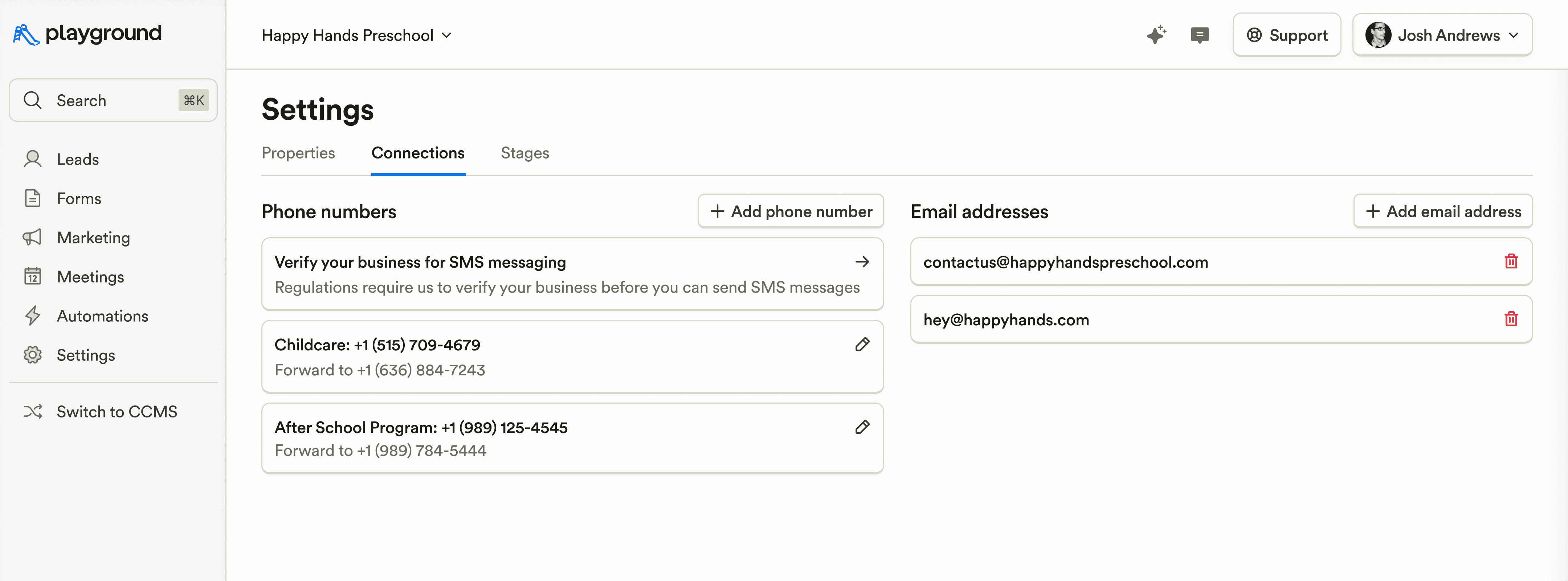
Fixed cases where bookings showed “Unknown” as the lead, ensuring tours and inquiries are correctly attributed.
Standardized capitalization across default CRM fields (e.g., Student Name) for cleaner records and more consistent reporting.
Billing & Finances
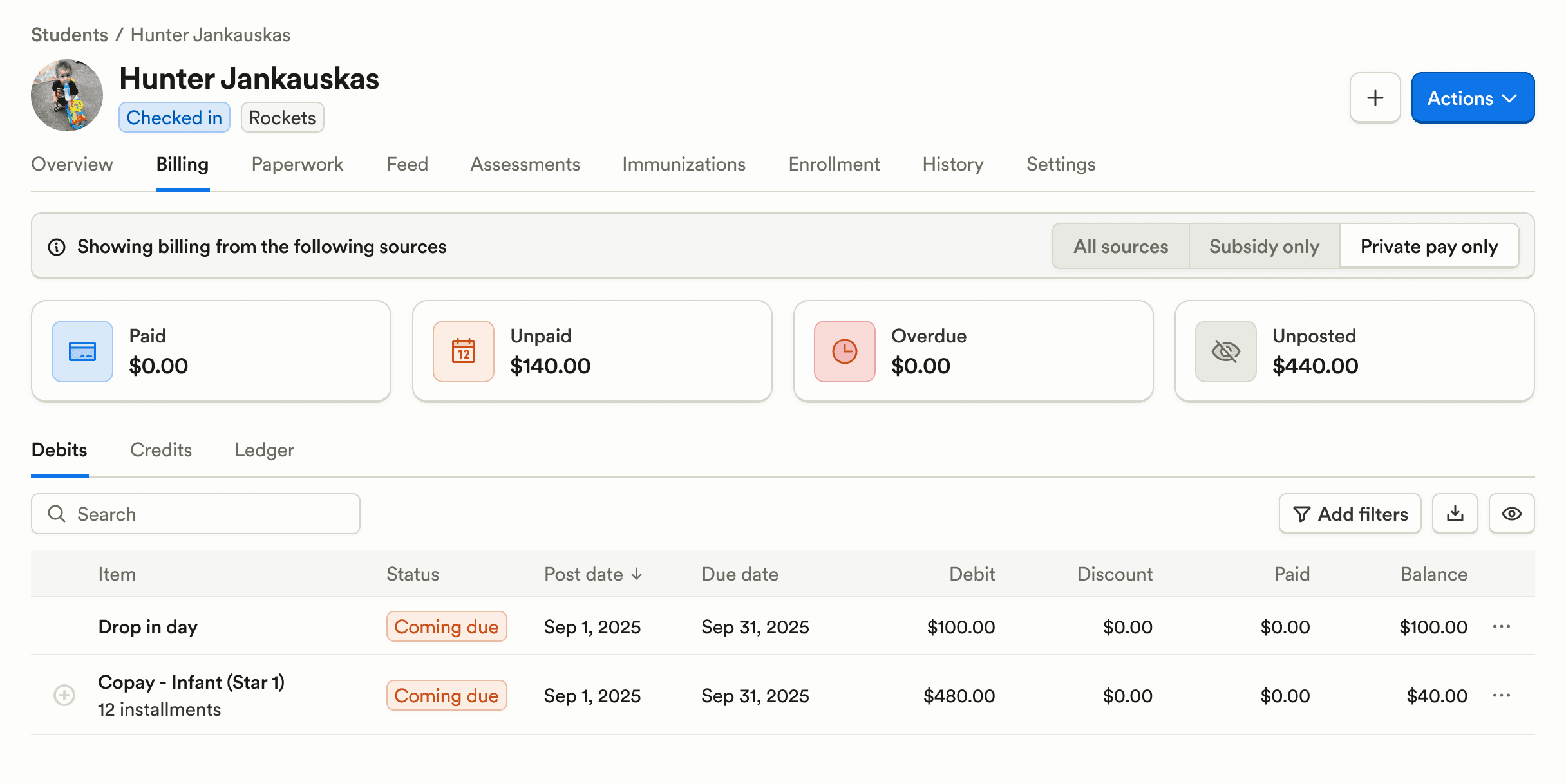
Invoice layouts have been visually improved so charges, balances, and totals are easier to understand at a glance.
Statements can now be filtered by Private Pay or Subsidy, making it easier to reconcile payments and share the right statements with families or agencies.
Payroll & HR
Added a warning banner when setting up child support garnishments to help prevent accidental or duplicate entries.
Payroll emails are no longer sent to inactive companies, reducing confusion and unnecessary notifications.
Enrollment & Paperwork
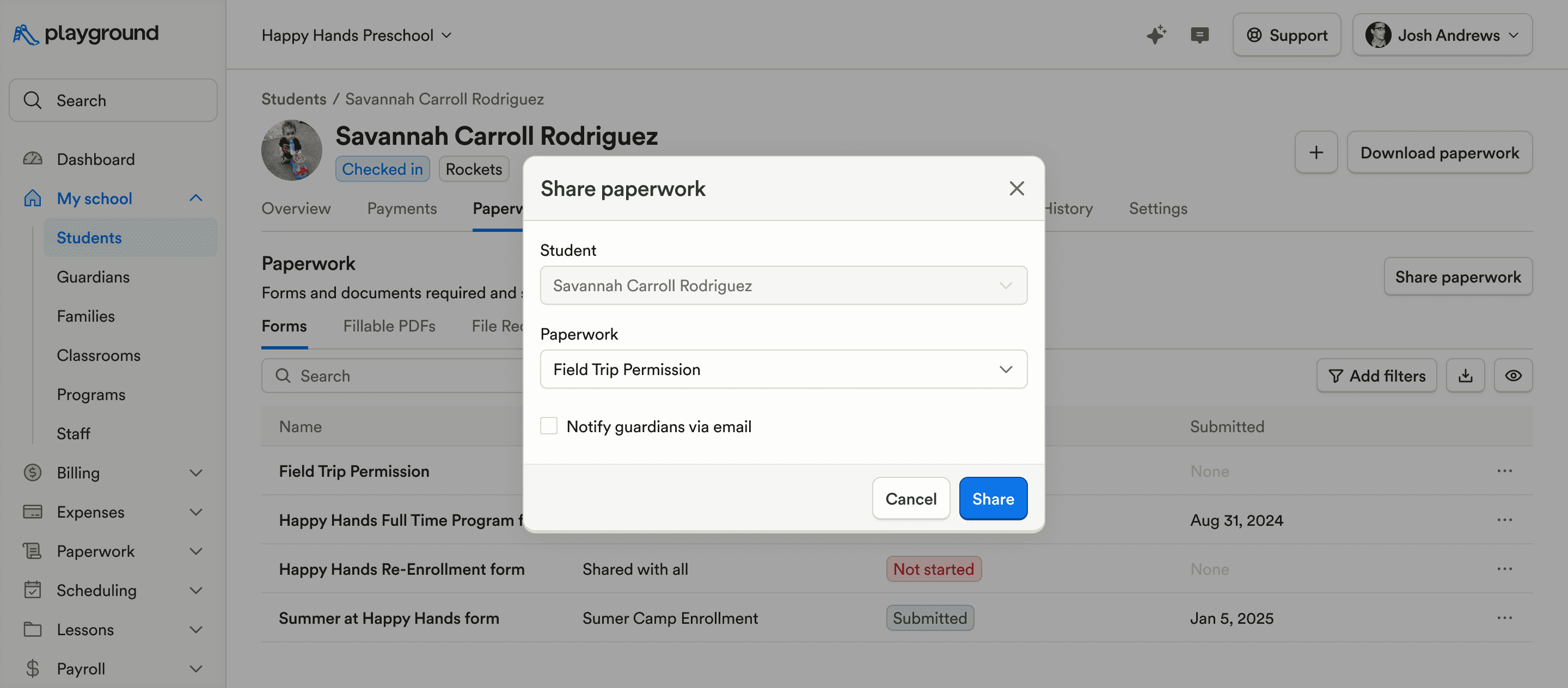
Paperwork can now be shared with individual students, allowing forms to be targeted instead of sent program-wide.
Staff can submit multiple submissions for the same fillable PDF, supporting recurring or updated documentation without recreating forms.
When duplicating an enrollment listing, associated enrollment emails can now be included, saving time when reusing listings for similar programs or sessions.
Food Program (CACFP)
Food Program menus have been updated with a cleaner, more condensed interface that adapts to your CACFP rule settings, reducing clicks during meal entry.
CACFP reports now include fluid posts and can be filtered by post type (eating or fluid), making audits and reviews more accurate and faster.
Family Communication
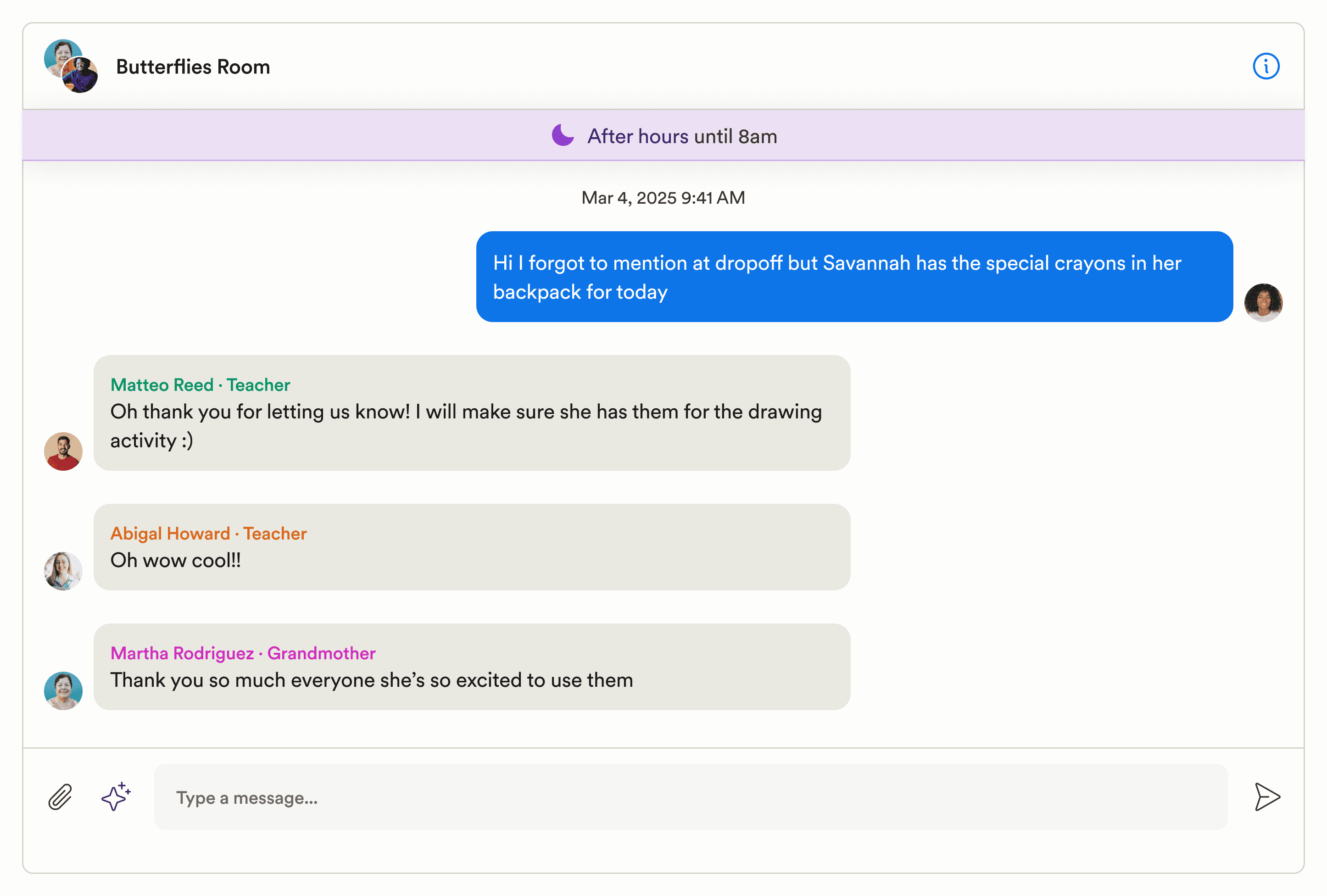
Chat active hours can now be configured, with an after-hours banner shown to guardians so families know when to expect replies.
Custom post types now support staff signatures, adding clarity around who shared an update.
A pending indicator has been added to the Feed menu in the browser so staff can quickly see when posts still need to be published.
Updated the confirmation copy when deleting a chat to better reflect what actually happens, reducing accidental deletions.
Platform, Integrations & Admin
Page refreshes are now faster, improving overall responsiveness during day-to-day use.
Marketing & CRM
CRM connections page has been visually reorganized to better group and categorize integrations, making it easier to understand what’s connected and what’s available.
Fixed cases where bookings showed “Unknown” as the lead, ensuring tours and inquiries are correctly attributed.
Standardized capitalization across default CRM fields (e.g., Student Name) for cleaner records and more consistent reporting.
Billing & Finances
Invoice layouts have been visually improved so charges, balances, and totals are easier to understand at a glance.
Statements can now be filtered by Private Pay or Subsidy, making it easier to reconcile payments and share the right statements with families or agencies.
Payroll & HR
Added a warning banner when setting up child support garnishments to help prevent accidental or duplicate entries.
Payroll emails are no longer sent to inactive companies, reducing confusion and unnecessary notifications.
Enrollment & Paperwork
Paperwork can now be shared with individual students, allowing forms to be targeted instead of sent program-wide.
Staff can submit multiple submissions for the same fillable PDF, supporting recurring or updated documentation without recreating forms.
When duplicating an enrollment listing, associated enrollment emails can now be included, saving time when reusing listings for similar programs or sessions.
Food Program (CACFP)
Food Program menus have been updated with a cleaner, more condensed interface that adapts to your CACFP rule settings, reducing clicks during meal entry.
CACFP reports now include fluid posts and can be filtered by post type (eating or fluid), making audits and reviews more accurate and faster.
Family Communication
Chat active hours can now be configured, with an after-hours banner shown to guardians so families know when to expect replies.
Custom post types now support staff signatures, adding clarity around who shared an update.
A pending indicator has been added to the Feed menu in the browser so staff can quickly see when posts still need to be published.
Updated the confirmation copy when deleting a chat to better reflect what actually happens, reducing accidental deletions.
Platform, Integrations & Admin
Page refreshes are now faster, improving overall responsiveness during day-to-day use.
Previous releases

CRM Inbox, API for Forms, Lesson Planning on Mobile
Enterprise Custom Reports & Bulk SMS Sending For Leads

Scheduled Reports, Duplicate Management, & Better Lesson Activities
Enterprise Custom Reports & Bulk SMS Sending For Leads

Show Staff Development Days & Edit Lesson Activities From Mobile
Enterprise Custom Reports & Bulk SMS Sending For Leads

Book a demo and simplify every corner of your business.




Book a demo and simplify every corner of your business.
