

Table of Contents
Changelog
Lead Management & Staff Editing Time-Off
Lead Management & Staff Editing Time-Off
Published
Mobile Version
592
In This Update
2 Releases
14 Improvements
2 Fixes
Mobile Version
592
2 Releases
14 Improvements
2 Fixes
Marketing & CRM
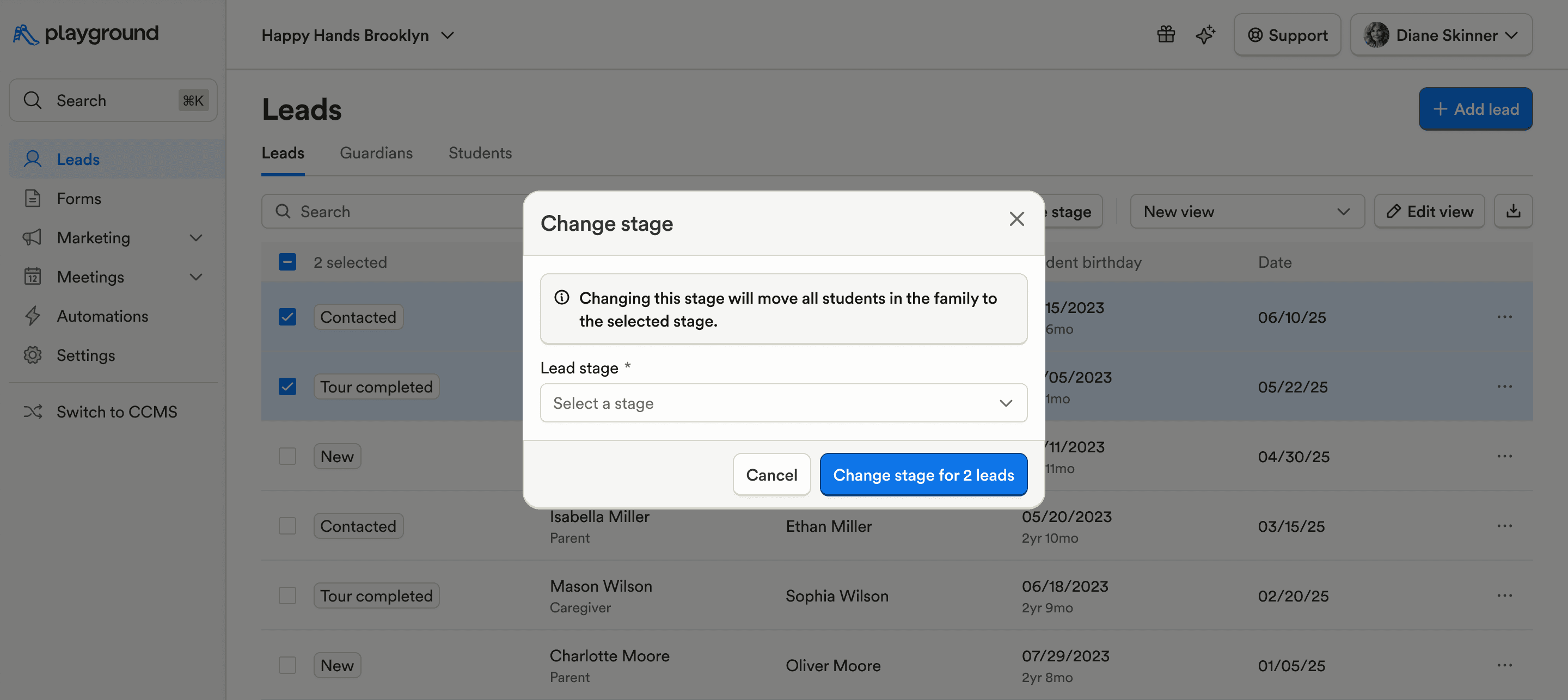
Multiple leads can now be selected from the Leads table and updated to a new stage in bulk, saving time when managing leads.
Prevented an issue where CRM lead activity could show a date earlier than the lead’s creation.
Added a loading state to the CRM conversations sidebar to prevent layout shifting while data loads.
Billing & Finances
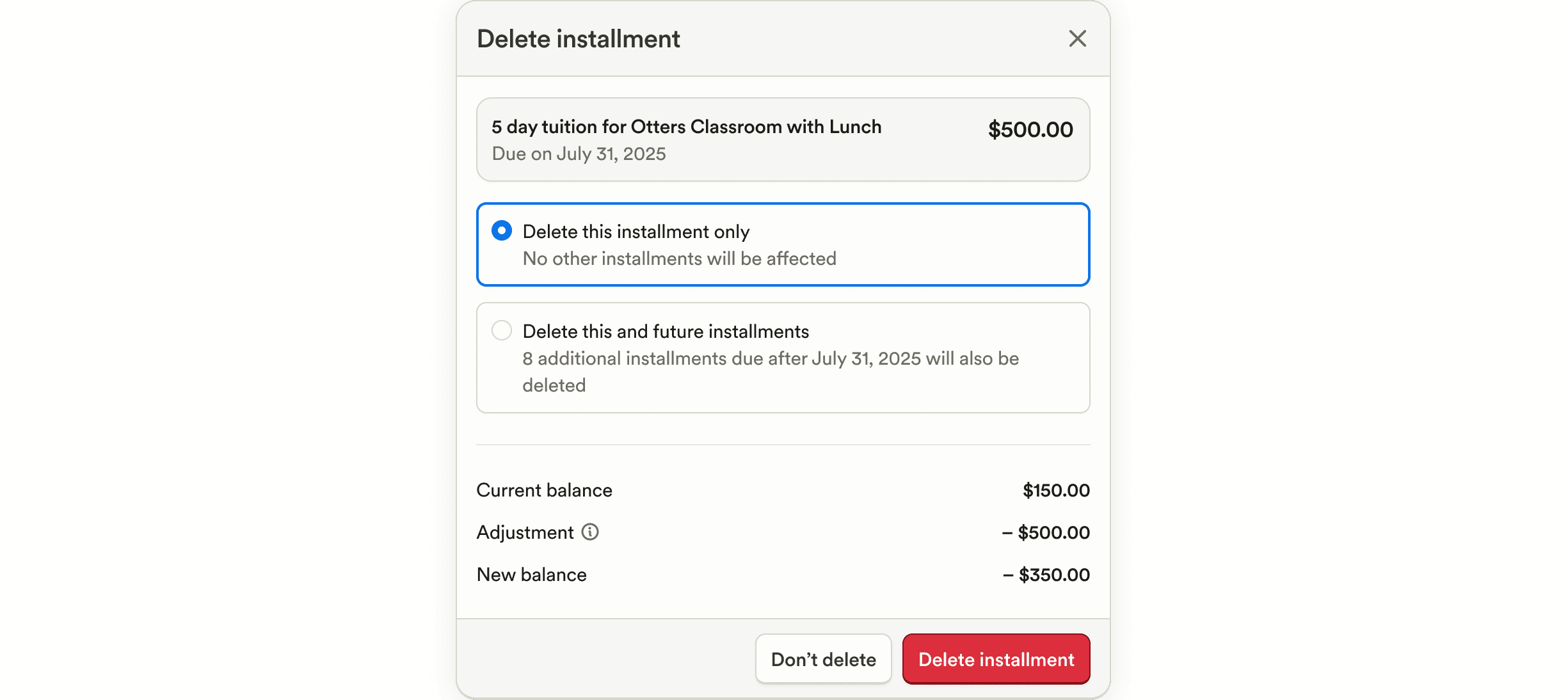
Added an option to delete all unposted installments from a billing plan, making cleanup and plan changes easier.
The account code name now appears in the “Pays for” column on the Payouts page, improving financial clarity.
Guardians’ names can now be selected to appear on generated statements, helping statements feel more personal and clear.
When deleting debits, the current status of each charge (e.g. overdue, coming due, paid) is now shown for better confirmation.
Payroll & HR
Staff can now upload a staff roster without inviting staff, allowing setup before onboarding.
Staff information (name, email, phone) is now visible regardless of payroll status, improving record consistency.
Enrollment & Paperwork
Allergy, medication, and condition fields are now optional in the student form template, giving programs more flexibility in how they collect information.
Attendance & Ratios
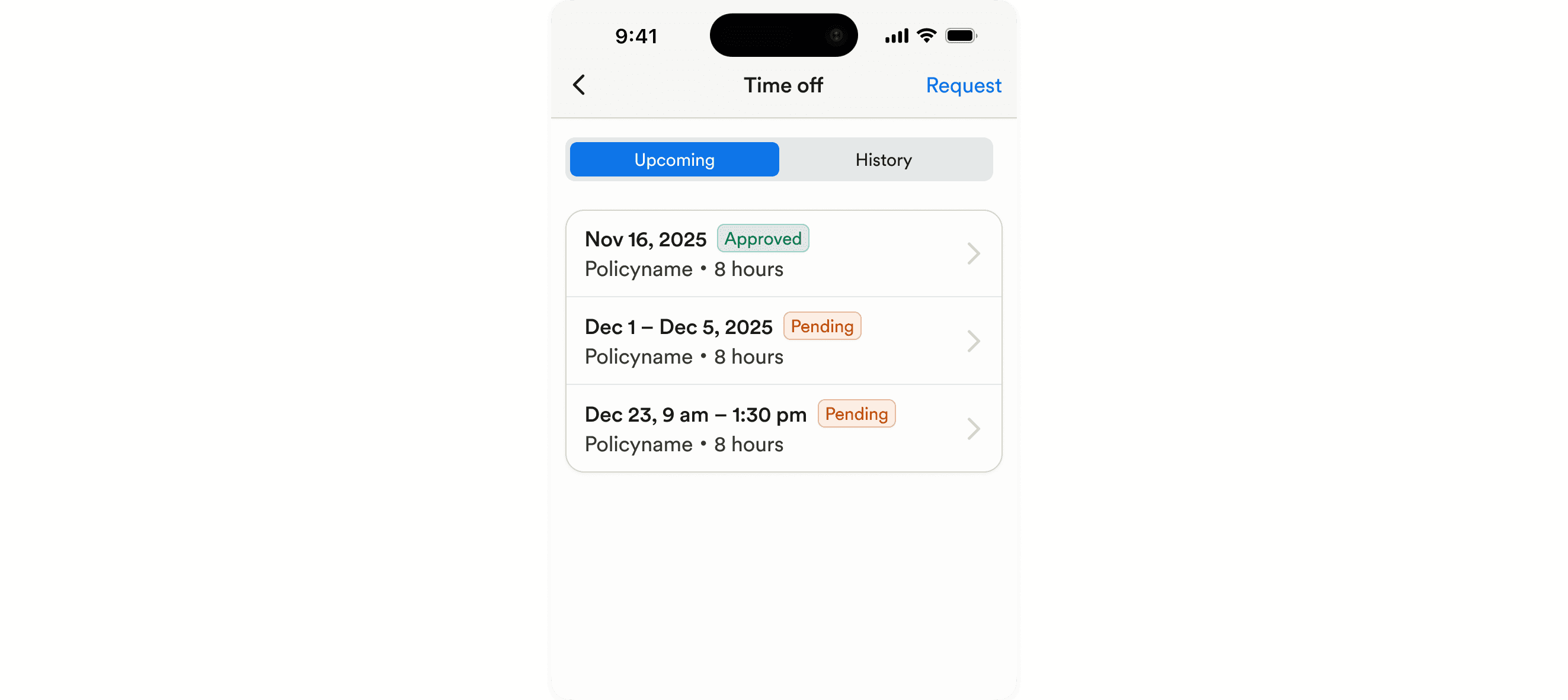
Staff can now view pending and completed time off requests in the mobile app, and edit or cancel pending requests, giving them full visibility and control over their time off.
Added Virginia integration support for KinderConnect to submit attendance data for subsidy.
Added a table view to the Staff tab on the Schedules page, making schedules easier to scan and manage.
Food Program (CACFP)
Added support for enabling the My Food Program integration directly from General Settings, simplifying setup.
Learning & Assessment
Updated the mobile lesson plan layout to be more intuitive and easier to use during the day.
Reporting & Insights
The Notes report now includes a “Note creator” column to clearly show who authored each note.
Added an Author column to the Student Classroom Transitions report to show who transitioned a student.
Marketing & CRM
Multiple leads can now be selected from the Leads table and updated to a new stage in bulk, saving time when managing leads.
Prevented an issue where CRM lead activity could show a date earlier than the lead’s creation.
Added a loading state to the CRM conversations sidebar to prevent layout shifting while data loads.
Billing & Finances
Added an option to delete all unposted installments from a billing plan, making cleanup and plan changes easier.
The account code name now appears in the “Pays for” column on the Payouts page, improving financial clarity.
Guardians’ names can now be selected to appear on generated statements, helping statements feel more personal and clear.
When deleting debits, the current status of each charge (e.g. overdue, coming due, paid) is now shown for better confirmation.
Payroll & HR
Staff can now upload a staff roster without inviting staff, allowing setup before onboarding.
Staff information (name, email, phone) is now visible regardless of payroll status, improving record consistency.
Enrollment & Paperwork
Allergy, medication, and condition fields are now optional in the student form template, giving programs more flexibility in how they collect information.
Attendance & Ratios
Staff can now view pending and completed time off requests in the mobile app, and edit or cancel pending requests, giving them full visibility and control over their time off.
Added Virginia integration support for KinderConnect to submit attendance data for subsidy.
Added a table view to the Staff tab on the Schedules page, making schedules easier to scan and manage.
Food Program (CACFP)
Added support for enabling the My Food Program integration directly from General Settings, simplifying setup.
Learning & Assessment
Updated the mobile lesson plan layout to be more intuitive and easier to use during the day.
Reporting & Insights
The Notes report now includes a “Note creator” column to clearly show who authored each note.
Added an Author column to the Student Classroom Transitions report to show who transitioned a student.
Previous releases

CRM Inbox, API for Forms, Lesson Planning on Mobile
Enterprise Custom Reports & Bulk SMS Sending For Leads

Scheduled Reports, Duplicate Management, & Better Lesson Activities
Enterprise Custom Reports & Bulk SMS Sending For Leads

Show Staff Development Days & Edit Lesson Activities From Mobile
Enterprise Custom Reports & Bulk SMS Sending For Leads

Book a demo and simplify every corner of your business.




Book a demo and simplify every corner of your business.
