

Child Care Record Retention Guide: What to Store, How Long, and Why Paper Costs More
Child Care Record Retention Guide: What to Store, How Long, and Why Paper Costs More
Child Care Record Retention Guide: What to Store, How Long, and Why Paper Costs More

Last updated:
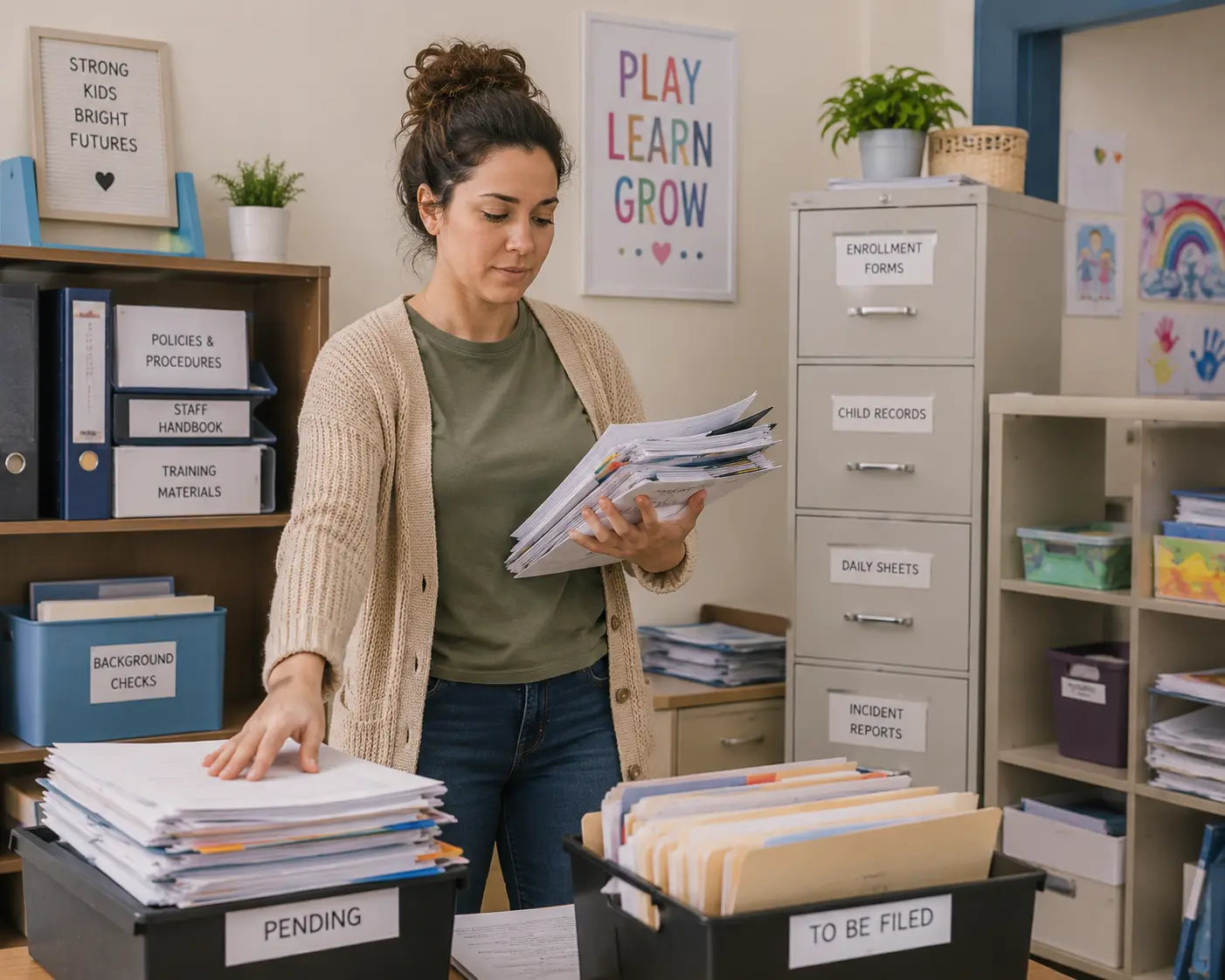
Paperwork storage is one of the quieter but more persistent burdens in early childhood programs. Providers must keep large volumes of records – including child files, staff credentials, attendance and subsidy documentation, facility logs, financial records, and more – yet the practical realities of storing them create constant compliance and operational friction.
Many of these documents cannot simply be boxed up and moved off-site. Licensing rules often require them to be available on demand for inspections, which can occur with little notice. At the same time, mandatory retention periods for paperwork vary widely by document type and state, making it easy to either discard something too soon or keep years of outdated paper that no longer serves a purpose. The result is frequent over-storage or under-storage, both of which carry risk.
Physical paperwork adds further complications. Destroying outdated files requires time, a reliable shredder, and secure disposal. The records themselves remain vulnerable to fire, water damage from sprinklers, or simple misfiling – with no easy backup. In fact, incomplete or missing forms are among the more common issues flagged during inspections and subsidy reports, as we’ll explore below.
Clarifying exactly which records are required, who needs them, and roughly how long they must be kept is the practical first step toward reducing that load. While these details may vary by state, the information below gives child care providers a good idea of the breadth of their paperwork problem and a good starting point for streamlining it.
Finding limitations in your own paper storage system? Consider booking a free demo with Playground to see how a childcare management software can make all the difference.
The real cost of paper-based recordkeeping
Paperwork problems surface most clearly during inspections, audits, and reimbursement claims, and the numbers show how common and time-consuming they are. Ultimately, the costs of a fully paper-based operation can span across multiple categories of the business.
Staff time is heavily consumed by compliance work. Research on U.S. early care and education centers found that teaching staff spend at least 10% of their time, and administrators at least 25%, on regulatory compliance and reporting activities alone.
Incomplete or missing forms are frequent inspection findings, regardless of state. Examples include:
Arizona: In 2025, missing or incomplete emergency information and immunization record cards ranked as the second-most-cited deficiency for child care centers, with nearly 400 citations statewide.
California: Gaps in children’s medical assessments and personnel records appear regularly on the state’s official most-commonly-cited deficiency lists.
Ohio: Enrollment forms that were missing, incomplete, or not updated ranked among the most frequently cited low-risk non-compliances in 2024 (2,249 citations), followed closely by non-compliant child medical records at 1,267 citations, as well as other paperwork-related violations.
Similar patterns show up in data from other states for attendance logs, immunizations, and unsigned or expired forms. Providers should aim to avoid such compliance violations to avoid fines and other indirect rectification costs.
Subsidy and meal reimbursements are also at risk
Programs that participate in The Food Program (CACFP) or other child care subsidies must maintain accurate daily attendance, meal counts, and related documentation. Incomplete, reconstructed, or mismatched paper records commonly lead to disallowed meals or under-claimed reimbursements, leaving earned funding on the table.
According to analysis based on USDA CACFP data, the average center-based provider loses between $28 and $211 in reimbursements per child per year due to inaccurate reporting, with home-based providers losing $57 to $149 per child per year. At scale, that can mean thousands of dollars left on the table annually for a typical program.
What paperwork do child care providers need to keep, and for how long?
The combination of variable retention rules, on-site availability requirements, physical storage risks, and the sheer volume of required forms makes the system easy to get wrong and potentially costly when it is. The table below maps the main categories of records most programs must maintain, why they’re required, and the general retention ranges that apply.
Record / Document | Who needs it / Primary purpose | Typical retention period |
CHILD RECORDS | ||
Enrollment/registration forms, admission information, parent agreements, handbook acknowledgments | Licensing inspectors; parents; internal operations | 30 days–3 years after child’s last day |
Health exam/physician statement, immunization records, TB screening (if required), health history | Licensing & health inspectors; parents; emergency responders | 30 days–3 years after last day (often longer for health records) |
Emergency contacts, authorized pickup/release lists, emergency medical treatment consent | Staff (daily use); licensing; parents; emergency responders | 30 days–3 years after last day |
Allergy action plans, special-needs/individual care plans | Staff (daily care); licensing; parents | 30 days–3 years after last day (or while active + retention period) |
Medication authorizations (parent + prescriber) and administration logs | Staff; licensing; parents | While active + 2–3 years (or folded into child health record); some short-term logs 3 months post-use |
Permissions (field trips, transportation, photos/video, sunscreen/topicals, etc.) | Staff; licensing; parents | 30 days–3 years after last day |
Daily attendance / sign-in & sign-out records (arrival/departure times) | Licensing inspectors (ratios, compliance); subsidy auditors; internal | 1–5 years (often 1–3 years; WA = 5 years) |
Incident, injury, illness, or accident reports | Licensing; insurance; parents; potential legal claims | 2+ years (often longer than general child records) |
Developmental assessments or evaluations | Staff/teachers; licensing (curriculum); parents | 1–3 years after last day |
STAFF / PERSONNEL RECORDS | ||
Staff applications, employment history, references, qualifications/credentials | Licensing (qualifications); internal HR | 1–3 years after employment ends (often ≥2 calendar years) |
Background checks, fingerprints, and clearances | Licensing (mandatory); insurance | 2–4+ years after employment ends |
Staff health records (e.g., TB tests, physicals) | Licensing; health inspectors | 1–3 years after employment ends |
Training certificates (CPR/First Aid, medication admin, orientation, annual PD hours) | Licensing (compliance audits); internal | 2–3 years after training date or employment ends |
Staff time/attendance, hours worked, break records | Licensing (ratio compliance); payroll; IRS | 1–3 years after employment ends (overlaps with payroll) |
Disciplinary actions and related notes | Internal HR; potential legal/insurance | 1–3 years after employment ends |
FACILITY / PROGRAM RECORDS | ||
Current license, applications, correspondence, and inspection reports (licensing, fire, health/sanitation) | Licensing inspectors; internal compliance | While license is active + 2–5 years (recent ones on-site) |
Policies/procedures and parent handbook | Licensing; parents; staff | While current + 1–3 years after revision |
Emergency preparedness plans and fire/evacuation drill logs | Licensing; fire inspectors; internal | 1–3 years |
Safety/maintenance logs (playground, equipment, smoke/CO detectors, fire extinguishers, hazard checks) | Licensing; fire/health inspectors | 1–3 years (recent 12 months usually on-site) |
Menus/snack lists (with substitutions) and food temperature logs (CACFP if applicable) | Licensing; health inspectors; CACFP auditors | 3 months–1 year |
Visitor logs | Licensing; internal security | 1–3 years |
Video surveillance footage (if used) | Licensing; internal investigations; insurance | 30–90 days (state-specific) |
Reports of alleged abuse/neglect or other mandated reports | Licensing; child protective services | 3+ years (or per state child abuse reporting rules) |
FINANCIAL / BUSINESS RECORDS | ||
Tax returns and supporting documentation | IRS; state tax agencies; internal | 3–7 years (IRS general rule 3 years; 7 years for certain claims) |
Invoices, receipts, bank statements, checks, receivables/payables | IRS; auditors; internal accounting | 5–7 years |
Payroll records, timesheets, employment tax records (W-2s, withholdings, etc.) | IRS; state labor agencies; licensing | 3–7 years (employment taxes often ≥4 years) |
Contracts, leases, insurance policies/proof of coverage | Licensing; insurance; legal; internal | While active + 5–7 years after expiration |
Subsidy/billing claims and related attendance verification (CCDF or state assistance) | Subsidy agencies; auditors; licensing | At least 3 years (CCDF floor; some states longer) |
Business registration, licenses/permits, asset/depreciation records | Tax agencies; licensing; internal | 3–7 years or permanent for certain items |
How to digitize your paperwork workflows and save money
These paperwork issues and their related costs can all be solved with a comprehensive digitization strategy. For most child care providers, this means implementing a childcare management software program (CCMS). Such a system replaces scattered paper files and disconnected tools and more, saving teams time, headaches, and money. With regards to paperwork, a modern CCMS can:
Store all required records securely online so they take up no physical space
Flag incomplete, missing, or expiring forms automatically
Produce records in seconds for audits, surprise visits, or staff needs
Track attendance and meals accurately to support full subsidy and CACFP reimbursements
Speed up drop-off and pick-up while creating reliable digital logs
Create a central source of truth for data and reporting
A comprehensive CCMS even goes beyond paperwork and digitization capabilities. For instance, Playground also handles attendance, billing, enrollment, family communication, scheduling, ratios, and more, keeping all of your business information and execution all under one (digital) roof. You can even query your records and operations with built-in AI capabilities.
With less time spent on compliance and administration overall, your team can spend more time on children and families – all while greatly reducing the risk of compliance and reporting errors. Playground, rated the best child care CCMS by thousands of real users, is built to deliver these outcomes in a single system. Get a free custom demo to learn more.
Paperwork storage is one of the quieter but more persistent burdens in early childhood programs. Providers must keep large volumes of records – including child files, staff credentials, attendance and subsidy documentation, facility logs, financial records, and more – yet the practical realities of storing them create constant compliance and operational friction.
Many of these documents cannot simply be boxed up and moved off-site. Licensing rules often require them to be available on demand for inspections, which can occur with little notice. At the same time, mandatory retention periods for paperwork vary widely by document type and state, making it easy to either discard something too soon or keep years of outdated paper that no longer serves a purpose. The result is frequent over-storage or under-storage, both of which carry risk.
Physical paperwork adds further complications. Destroying outdated files requires time, a reliable shredder, and secure disposal. The records themselves remain vulnerable to fire, water damage from sprinklers, or simple misfiling – with no easy backup. In fact, incomplete or missing forms are among the more common issues flagged during inspections and subsidy reports, as we’ll explore below.
Clarifying exactly which records are required, who needs them, and roughly how long they must be kept is the practical first step toward reducing that load. While these details may vary by state, the information below gives child care providers a good idea of the breadth of their paperwork problem and a good starting point for streamlining it.
Finding limitations in your own paper storage system? Consider booking a free demo with Playground to see how a childcare management software can make all the difference.
The real cost of paper-based recordkeeping
Paperwork problems surface most clearly during inspections, audits, and reimbursement claims, and the numbers show how common and time-consuming they are. Ultimately, the costs of a fully paper-based operation can span across multiple categories of the business.
Staff time is heavily consumed by compliance work. Research on U.S. early care and education centers found that teaching staff spend at least 10% of their time, and administrators at least 25%, on regulatory compliance and reporting activities alone.
Incomplete or missing forms are frequent inspection findings, regardless of state. Examples include:
Arizona: In 2025, missing or incomplete emergency information and immunization record cards ranked as the second-most-cited deficiency for child care centers, with nearly 400 citations statewide.
California: Gaps in children’s medical assessments and personnel records appear regularly on the state’s official most-commonly-cited deficiency lists.
Ohio: Enrollment forms that were missing, incomplete, or not updated ranked among the most frequently cited low-risk non-compliances in 2024 (2,249 citations), followed closely by non-compliant child medical records at 1,267 citations, as well as other paperwork-related violations.
Similar patterns show up in data from other states for attendance logs, immunizations, and unsigned or expired forms. Providers should aim to avoid such compliance violations to avoid fines and other indirect rectification costs.
Subsidy and meal reimbursements are also at risk
Programs that participate in The Food Program (CACFP) or other child care subsidies must maintain accurate daily attendance, meal counts, and related documentation. Incomplete, reconstructed, or mismatched paper records commonly lead to disallowed meals or under-claimed reimbursements, leaving earned funding on the table.
According to analysis based on USDA CACFP data, the average center-based provider loses between $28 and $211 in reimbursements per child per year due to inaccurate reporting, with home-based providers losing $57 to $149 per child per year. At scale, that can mean thousands of dollars left on the table annually for a typical program.
What paperwork do child care providers need to keep, and for how long?
The combination of variable retention rules, on-site availability requirements, physical storage risks, and the sheer volume of required forms makes the system easy to get wrong and potentially costly when it is. The table below maps the main categories of records most programs must maintain, why they’re required, and the general retention ranges that apply.
Record / Document | Who needs it / Primary purpose | Typical retention period |
CHILD RECORDS | ||
Enrollment/registration forms, admission information, parent agreements, handbook acknowledgments | Licensing inspectors; parents; internal operations | 30 days–3 years after child’s last day |
Health exam/physician statement, immunization records, TB screening (if required), health history | Licensing & health inspectors; parents; emergency responders | 30 days–3 years after last day (often longer for health records) |
Emergency contacts, authorized pickup/release lists, emergency medical treatment consent | Staff (daily use); licensing; parents; emergency responders | 30 days–3 years after last day |
Allergy action plans, special-needs/individual care plans | Staff (daily care); licensing; parents | 30 days–3 years after last day (or while active + retention period) |
Medication authorizations (parent + prescriber) and administration logs | Staff; licensing; parents | While active + 2–3 years (or folded into child health record); some short-term logs 3 months post-use |
Permissions (field trips, transportation, photos/video, sunscreen/topicals, etc.) | Staff; licensing; parents | 30 days–3 years after last day |
Daily attendance / sign-in & sign-out records (arrival/departure times) | Licensing inspectors (ratios, compliance); subsidy auditors; internal | 1–5 years (often 1–3 years; WA = 5 years) |
Incident, injury, illness, or accident reports | Licensing; insurance; parents; potential legal claims | 2+ years (often longer than general child records) |
Developmental assessments or evaluations | Staff/teachers; licensing (curriculum); parents | 1–3 years after last day |
STAFF / PERSONNEL RECORDS | ||
Staff applications, employment history, references, qualifications/credentials | Licensing (qualifications); internal HR | 1–3 years after employment ends (often ≥2 calendar years) |
Background checks, fingerprints, and clearances | Licensing (mandatory); insurance | 2–4+ years after employment ends |
Staff health records (e.g., TB tests, physicals) | Licensing; health inspectors | 1–3 years after employment ends |
Training certificates (CPR/First Aid, medication admin, orientation, annual PD hours) | Licensing (compliance audits); internal | 2–3 years after training date or employment ends |
Staff time/attendance, hours worked, break records | Licensing (ratio compliance); payroll; IRS | 1–3 years after employment ends (overlaps with payroll) |
Disciplinary actions and related notes | Internal HR; potential legal/insurance | 1–3 years after employment ends |
FACILITY / PROGRAM RECORDS | ||
Current license, applications, correspondence, and inspection reports (licensing, fire, health/sanitation) | Licensing inspectors; internal compliance | While license is active + 2–5 years (recent ones on-site) |
Policies/procedures and parent handbook | Licensing; parents; staff | While current + 1–3 years after revision |
Emergency preparedness plans and fire/evacuation drill logs | Licensing; fire inspectors; internal | 1–3 years |
Safety/maintenance logs (playground, equipment, smoke/CO detectors, fire extinguishers, hazard checks) | Licensing; fire/health inspectors | 1–3 years (recent 12 months usually on-site) |
Menus/snack lists (with substitutions) and food temperature logs (CACFP if applicable) | Licensing; health inspectors; CACFP auditors | 3 months–1 year |
Visitor logs | Licensing; internal security | 1–3 years |
Video surveillance footage (if used) | Licensing; internal investigations; insurance | 30–90 days (state-specific) |
Reports of alleged abuse/neglect or other mandated reports | Licensing; child protective services | 3+ years (or per state child abuse reporting rules) |
FINANCIAL / BUSINESS RECORDS | ||
Tax returns and supporting documentation | IRS; state tax agencies; internal | 3–7 years (IRS general rule 3 years; 7 years for certain claims) |
Invoices, receipts, bank statements, checks, receivables/payables | IRS; auditors; internal accounting | 5–7 years |
Payroll records, timesheets, employment tax records (W-2s, withholdings, etc.) | IRS; state labor agencies; licensing | 3–7 years (employment taxes often ≥4 years) |
Contracts, leases, insurance policies/proof of coverage | Licensing; insurance; legal; internal | While active + 5–7 years after expiration |
Subsidy/billing claims and related attendance verification (CCDF or state assistance) | Subsidy agencies; auditors; licensing | At least 3 years (CCDF floor; some states longer) |
Business registration, licenses/permits, asset/depreciation records | Tax agencies; licensing; internal | 3–7 years or permanent for certain items |
How to digitize your paperwork workflows and save money
These paperwork issues and their related costs can all be solved with a comprehensive digitization strategy. For most child care providers, this means implementing a childcare management software program (CCMS). Such a system replaces scattered paper files and disconnected tools and more, saving teams time, headaches, and money. With regards to paperwork, a modern CCMS can:
Store all required records securely online so they take up no physical space
Flag incomplete, missing, or expiring forms automatically
Produce records in seconds for audits, surprise visits, or staff needs
Track attendance and meals accurately to support full subsidy and CACFP reimbursements
Speed up drop-off and pick-up while creating reliable digital logs
Create a central source of truth for data and reporting
A comprehensive CCMS even goes beyond paperwork and digitization capabilities. For instance, Playground also handles attendance, billing, enrollment, family communication, scheduling, ratios, and more, keeping all of your business information and execution all under one (digital) roof. You can even query your records and operations with built-in AI capabilities.
With less time spent on compliance and administration overall, your team can spend more time on children and families – all while greatly reducing the risk of compliance and reporting errors. Playground, rated the best child care CCMS by thousands of real users, is built to deliver these outcomes in a single system. Get a free custom demo to learn more.
Jaclyn is a data journalist and CFP™ who evaluates trends in the childcare industry and wider economy. She has previously worked for publications including CNET, SmartAsset, Bizfluent, AZCentral and Chron, and as a research consultant for NAPCO Media. Her insights are often cited by publications including Bloomberg, CNBC, Business Insider, Fox News, USA Today, The Hill and more. She has a bachelor’s degree in economics and mathematics from The College of New Jersey.
Share this article
The highest rated child care software
Ratings and review counts from public app store listings, May 2026.


Book a demo and simplify every corner of your business.




Book a demo and simplify every corner of your business.
