Table of Contents
Changelog
Food Program Claims, CRM Daily Digest, Automatic Lead Creation from Calls, & New Kiosk Design
Food Program Claims, CRM Daily Digest, Automatic Lead Creation from Calls, & New Kiosk Design
Published
Mobile Version
613
In This Update
5 Releases
13 Improvements
5 Fixes
Mobile Version
613
5 Releases
13 Improvements
5 Fixes
Marketing & CRM
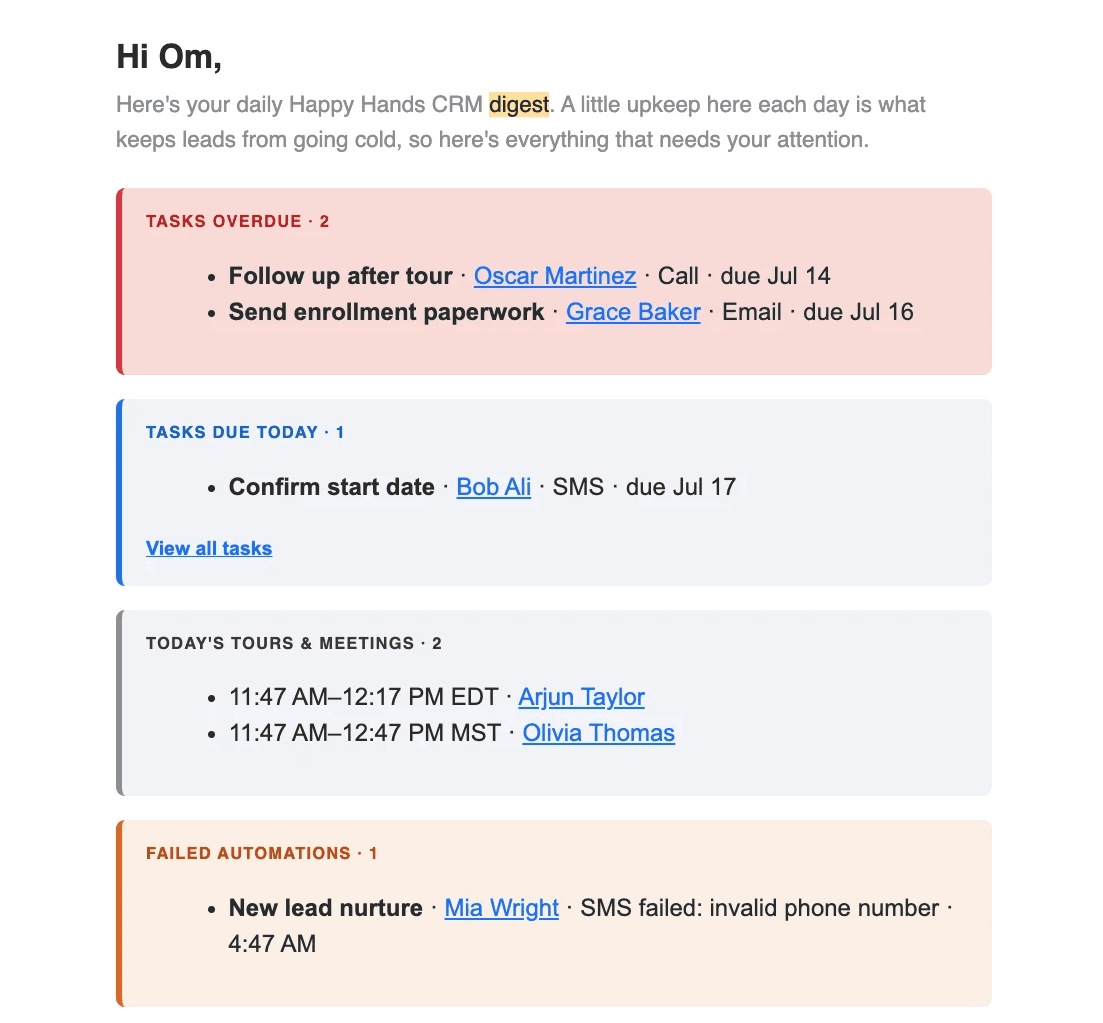
CRM users can now set up a daily email digest for tasks, meetings, and failed automations, making it easier to stay on top of important work without opening Playground.
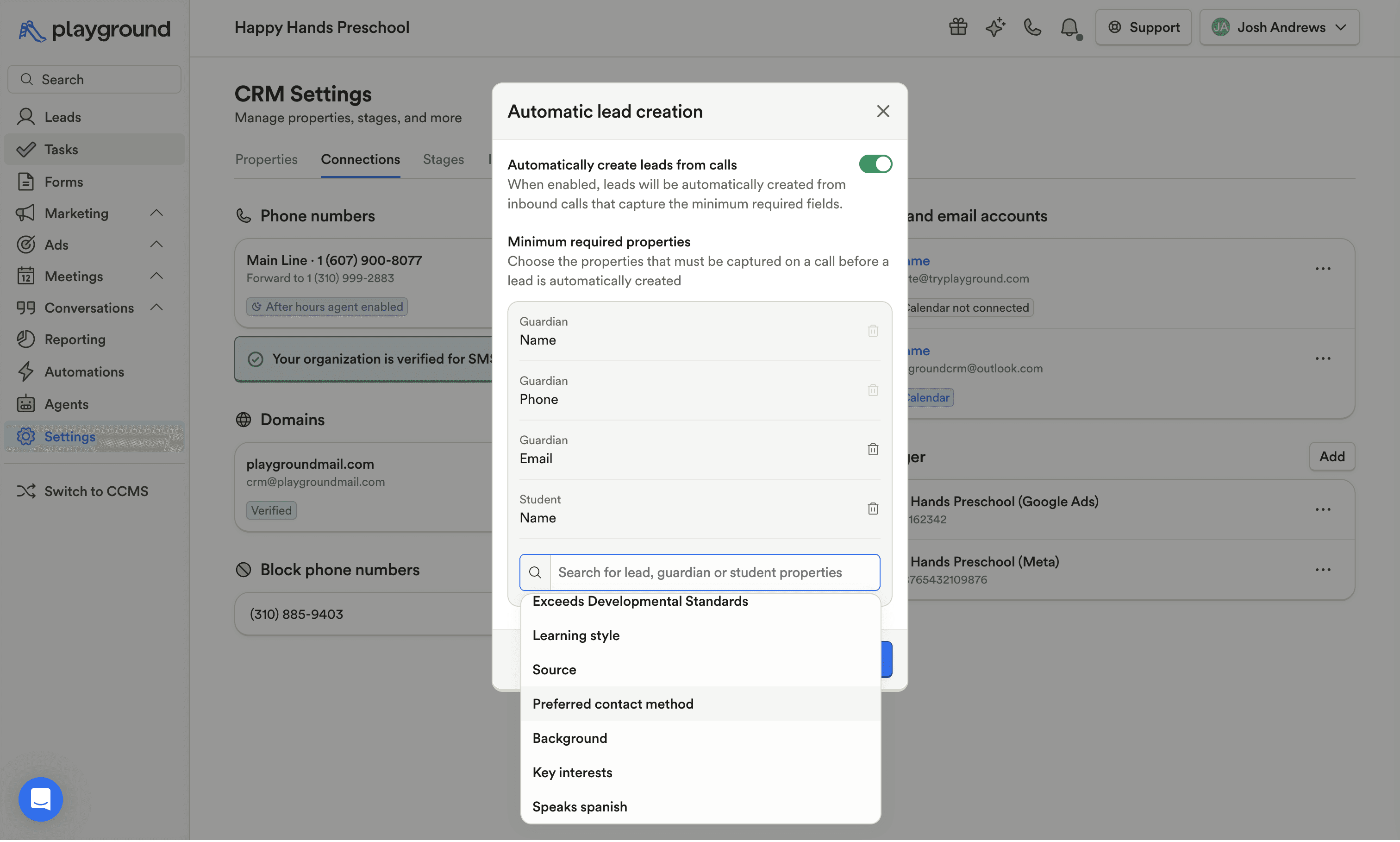
CRM can now automatically create leads from qualifying inbound calls once the required information is captured, reducing manual data entry and helping teams turn phone inquiries into actionable leads. This will also automatically trigger automations for new leads once a phone call is received without having to open Playground.
CRM saved views can now remember sort preferences, so tables, boards, and exports open in the order each user expects.
CRM email subject lines now support personalization tags, matching the flexibility already available in email content.
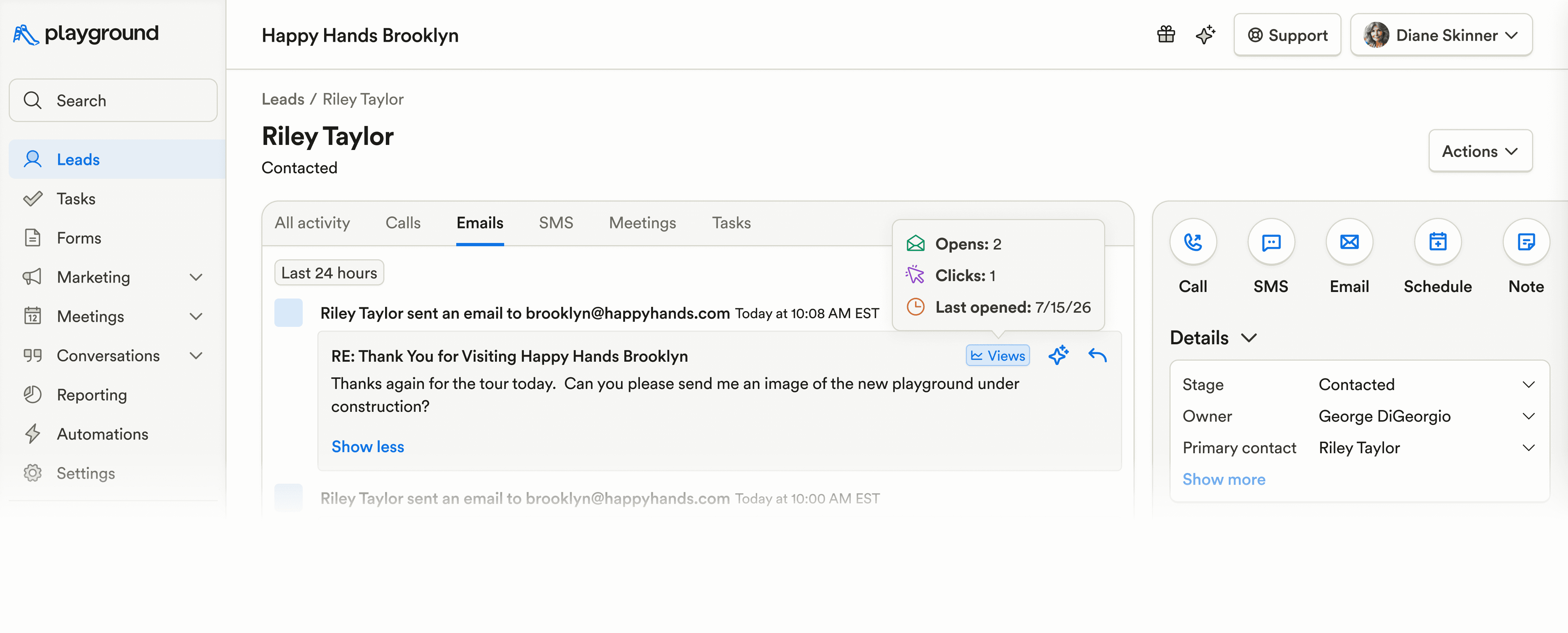
Lead profiles and email history now show more engagement details, including opens, clicks, last-opened dates, and the links recipients selected.
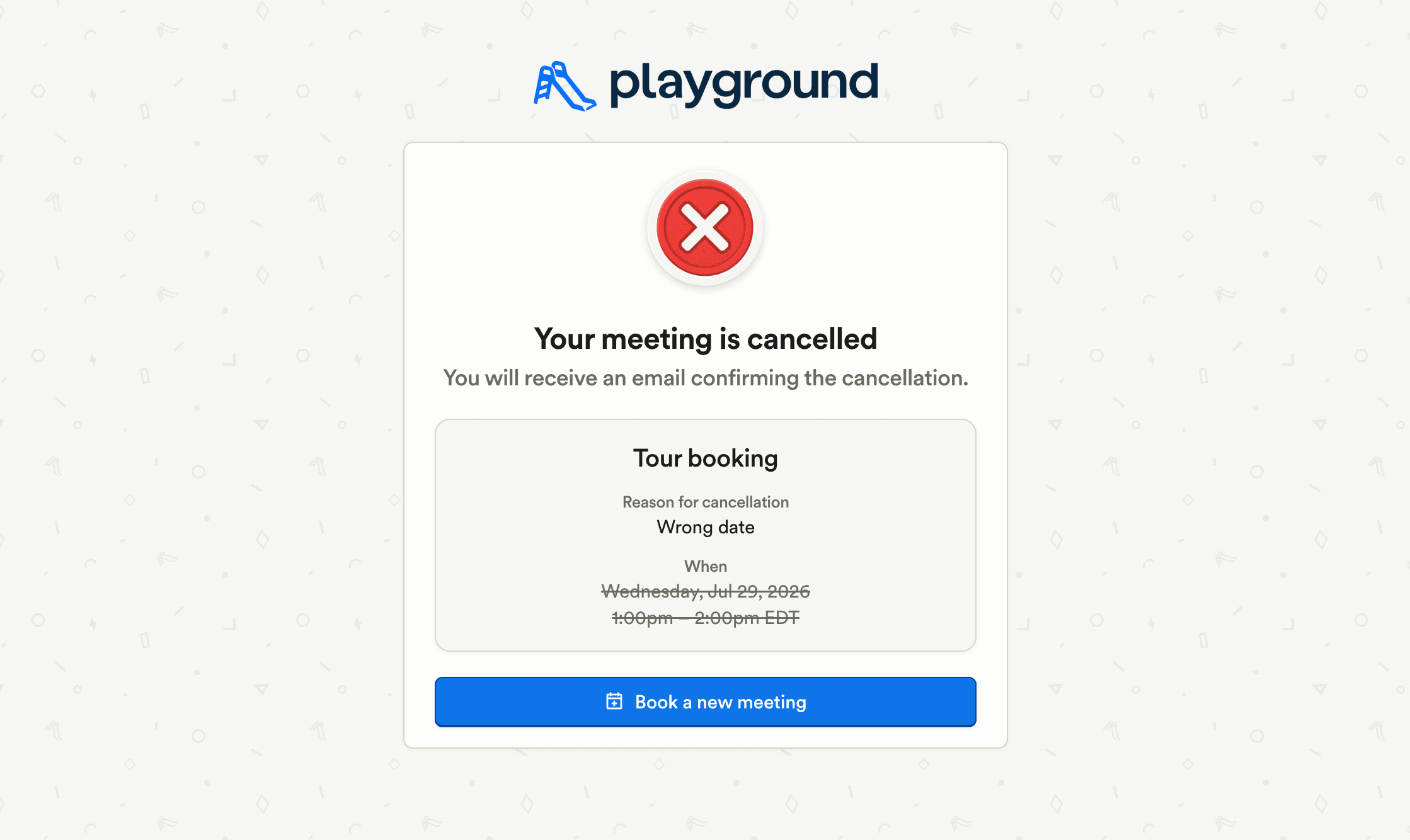
Tour cancellation pages and cancellation emails now guide families to book a new meeting if they change their mind.
CRM automations can now run when an application is accepted, helping teams automate follow-up after enrollment decisions.
Custom tour confirmation emails now send even when a calendar invite is connected, ensuring branded confirmation templates are not skipped.
CRM lead automations now avoid emailing or texting deleted guardians or invalid email addresses.
Agent-sent SMS messages now appear in CRM inbox history, giving teams a complete record of each conversation.
Billing & Finances
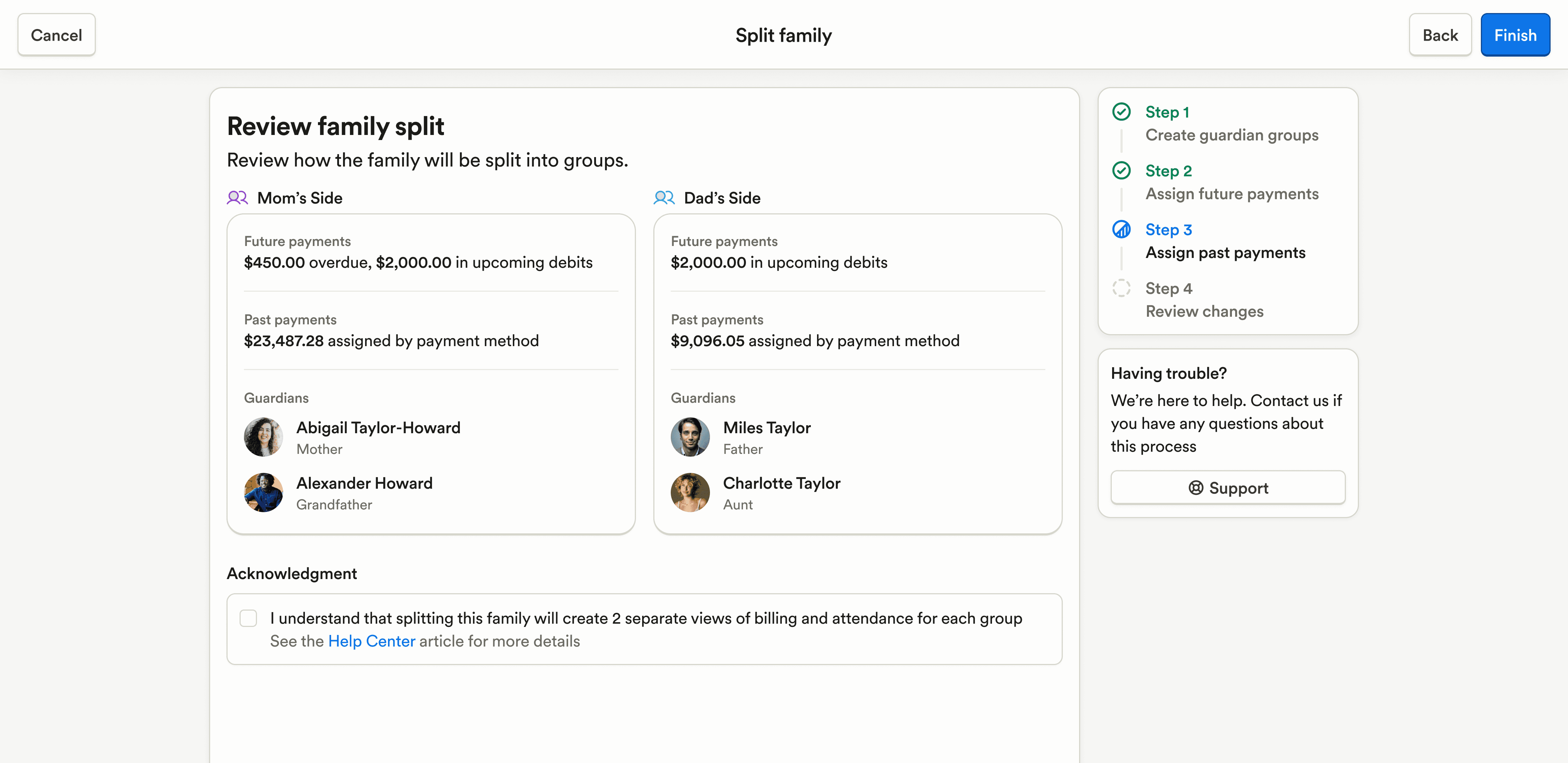
The Split Family flow now includes billing assignment, allowing admins to decide how existing and future charges or credits are divided between guardian groups.
Payment imports now populate billing service dates using CSV data or the selected billing frequency, helping imported charges create more accurate financial records.
Schedule voucher impact warnings now support users with payment access while keeping voucher-ending actions restricted to subsidy editors.
Staff can now attach receipt images when adding expenses in the mobile app.
Payroll & HR
Pay schedule setup now supports assigning multiple employees at once, eliminating the need to repeat the same workflow for each staff member.
Staff time-off requests now show unpaid time off used during the previous 12 months, giving reviewers more context when evaluating absences.
Staff profiles now show whether a staff member has been invited and allow admins to send signup invitations directly from the profile.
The Staff Info report now displays date fields as consistently formatted dates instead of raw stored values.
Enrollment & Paperwork
Student schedule transitions can now be started directly from the schedule calendar and table, making classroom changes easier to manage from the views admins already use.
Attendance & Ratios
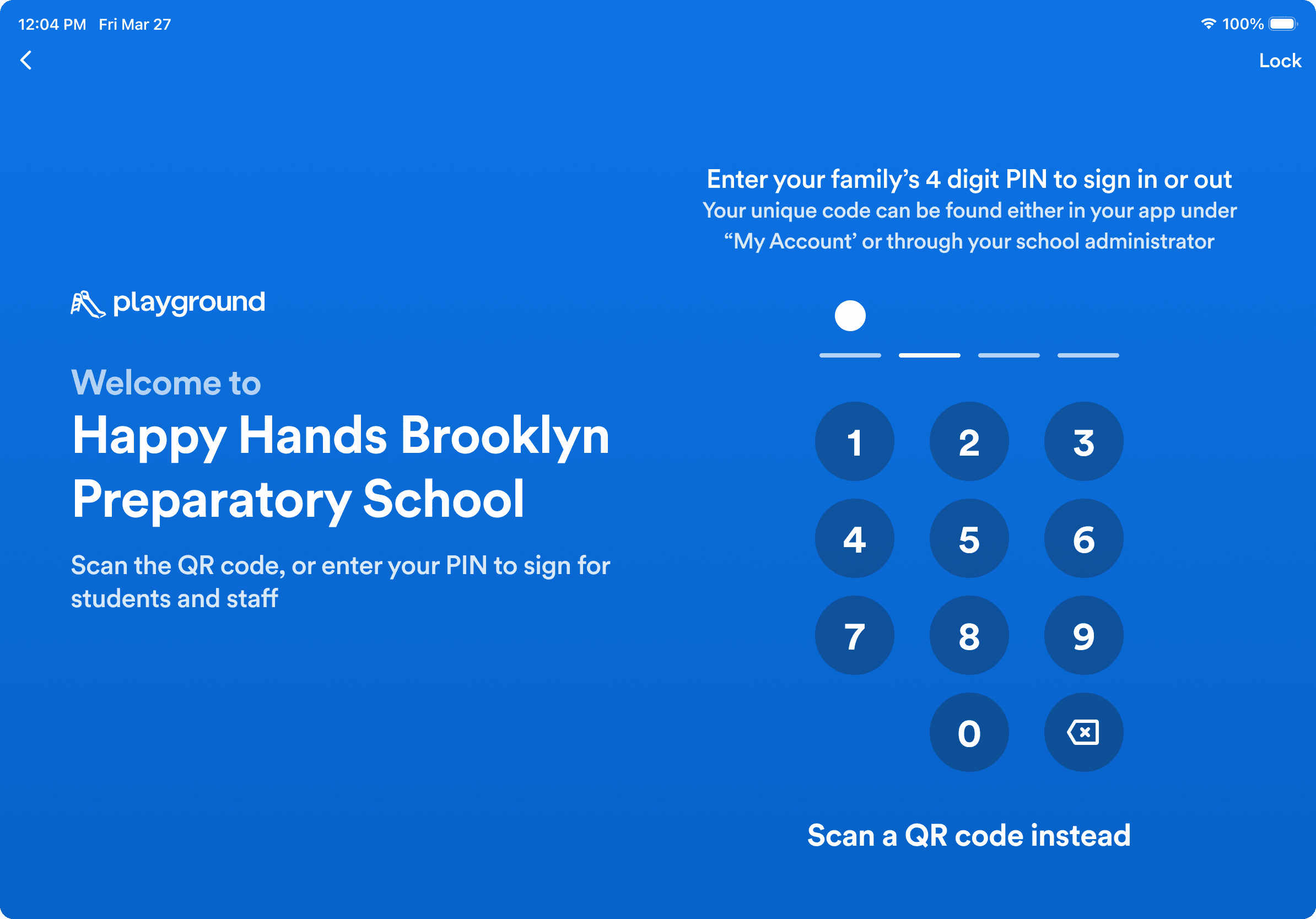
Mobile Kiosk mode has a redesigned sign-in experience with clearer QR code and PIN options, including on-screen PIN entry.
Food Program (CACFP)
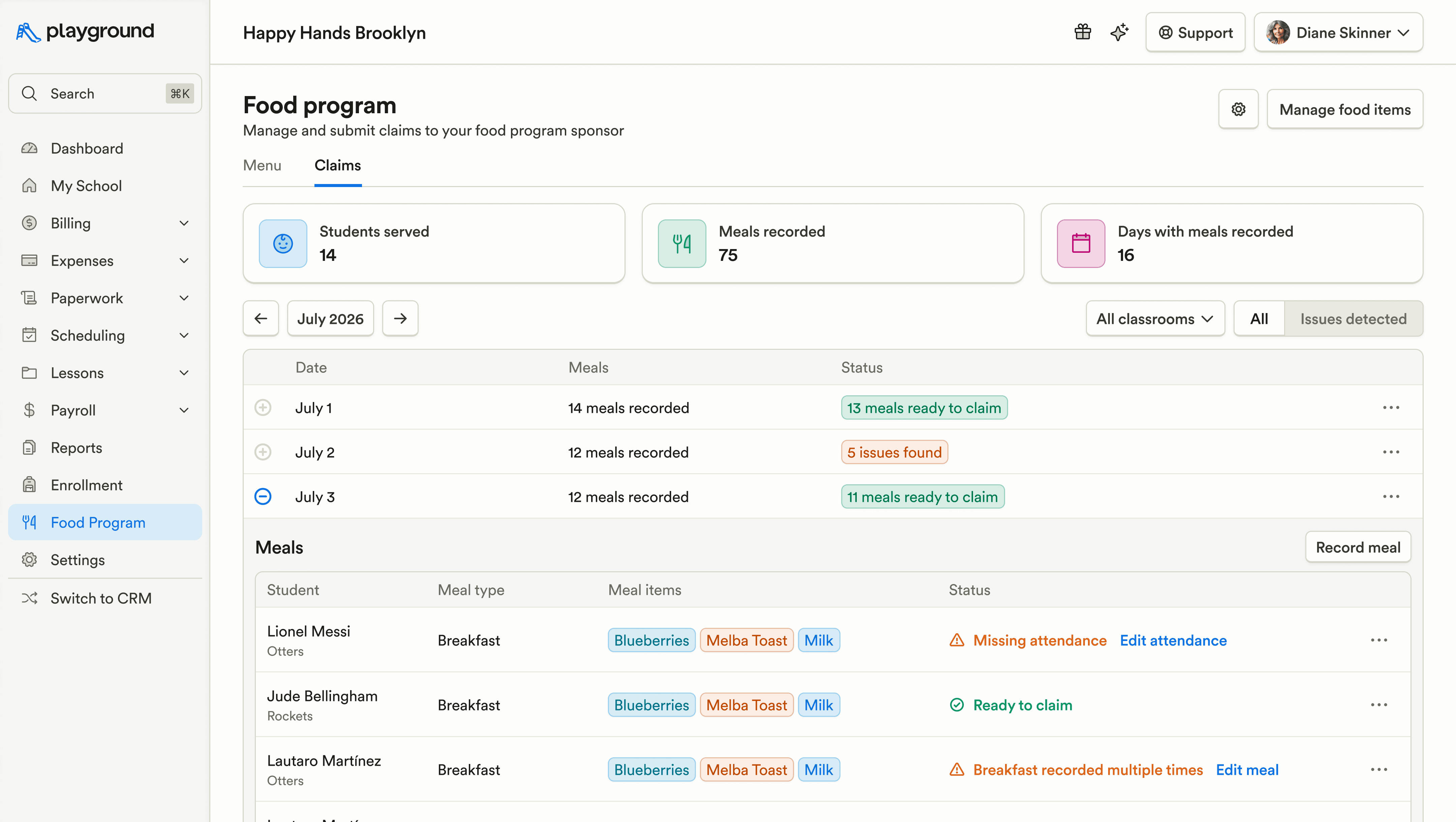
Food Program now includes a Claims tab that summarizes meals by month, highlights reimbursement blockers, and provides quick actions to resolve attendance, meal, student, or subsidy issues directly from the table.
KidKare attendance uploads now display rejection reasons instead of incorrectly reporting success when an upload is rejected.
Family Communication
Newsletters can now be duplicated and downloaded as PDF or JSON files, making them easier to reuse, share, and manage.
Marketing & CRM
CRM users can now set up a daily email digest for tasks, meetings, and failed automations, making it easier to stay on top of important work without opening Playground.
CRM can now automatically create leads from qualifying inbound calls once the required information is captured, reducing manual data entry and helping teams turn phone inquiries into actionable leads. This will also automatically trigger automations for new leads once a phone call is received without having to open Playground.
CRM saved views can now remember sort preferences, so tables, boards, and exports open in the order each user expects.
CRM email subject lines now support personalization tags, matching the flexibility already available in email content.
Lead profiles and email history now show more engagement details, including opens, clicks, last-opened dates, and the links recipients selected.
Tour cancellation pages and cancellation emails now guide families to book a new meeting if they change their mind.
CRM automations can now run when an application is accepted, helping teams automate follow-up after enrollment decisions.
Custom tour confirmation emails now send even when a calendar invite is connected, ensuring branded confirmation templates are not skipped.
CRM lead automations now avoid emailing or texting deleted guardians or invalid email addresses.
Agent-sent SMS messages now appear in CRM inbox history, giving teams a complete record of each conversation.
Billing & Finances
The Split Family flow now includes billing assignment, allowing admins to decide how existing and future charges or credits are divided between guardian groups.
Payment imports now populate billing service dates using CSV data or the selected billing frequency, helping imported charges create more accurate financial records.
Schedule voucher impact warnings now support users with payment access while keeping voucher-ending actions restricted to subsidy editors.
Staff can now attach receipt images when adding expenses in the mobile app.
Payroll & HR
Pay schedule setup now supports assigning multiple employees at once, eliminating the need to repeat the same workflow for each staff member.
Staff time-off requests now show unpaid time off used during the previous 12 months, giving reviewers more context when evaluating absences.
Staff profiles now show whether a staff member has been invited and allow admins to send signup invitations directly from the profile.
The Staff Info report now displays date fields as consistently formatted dates instead of raw stored values.
Enrollment & Paperwork
Student schedule transitions can now be started directly from the schedule calendar and table, making classroom changes easier to manage from the views admins already use.
Attendance & Ratios
Mobile Kiosk mode has a redesigned sign-in experience with clearer QR code and PIN options, including on-screen PIN entry.
Food Program (CACFP)
Food Program now includes a Claims tab that summarizes meals by month, highlights reimbursement blockers, and provides quick actions to resolve attendance, meal, student, or subsidy issues directly from the table.
KidKare attendance uploads now display rejection reasons instead of incorrectly reporting success when an upload is rejected.
Family Communication
Newsletters can now be duplicated and downloaded as PDF or JSON files, making them easier to reuse, share, and manage.
Previous releases

Auto-Detect Fillable PDF Fields, Redesigned Assessments, & Website Chat in CRM Inbox
Enterprise Custom Reports & Bulk SMS Sending For Leads

Enterprise Lesson Plans, Book Meetings Through API, Communication History
Enterprise Custom Reports & Bulk SMS Sending For Leads

Call Support for API, Coming Due Paperwork Report, & Bulk Photo Downloads
Enterprise Custom Reports & Bulk SMS Sending For Leads

Book a demo and simplify every corner of your business.



Book a demo and simplify every corner of your business.