Table of Contents
Changelog
Geofenced Door Access, Web Observations, & Smarter CRM
Geofenced Door Access, Web Observations, & Smarter CRM
Published
Mobile Version
606
In This Update
2 Releases
9 Improvements
4 Fixes
Mobile Version
606
2 Releases
9 Improvements
4 Fixes
Marketing & CRM
CRM meetings now have filters, additional columns, and CSV downloads, making it easier to manage and analyze bookings.
CRM reporting now remembers the last dashboard selected when returning to the page, making it easier to pick up where you last left off.
Custom program fields can now be used in CRM email merge tags for more personalized outreach.
CRM filters now support “is empty” and “is not empty” conditions for more precise segmentation.
When adding a CRM lead, guardian and student custom fields are now surfaced in the correct sections with key fields visible by default.
Fixed duplicate lead activity that could occur when one email matched multiple records.
Fixed “does not contain” filters so they work correctly on lead fields.
Fixed call/SMS lead conversion so the sidebar updates immediately without unexpected redirects.
Fixed an incorrect unsaved-changes warning in the styled email editor.
Enrollment & Paperwork
Staff-only fields in fillable PDFs now remain visually distinct in both preview and submission views, making internal-only data clearer.
Attendance & Ratios
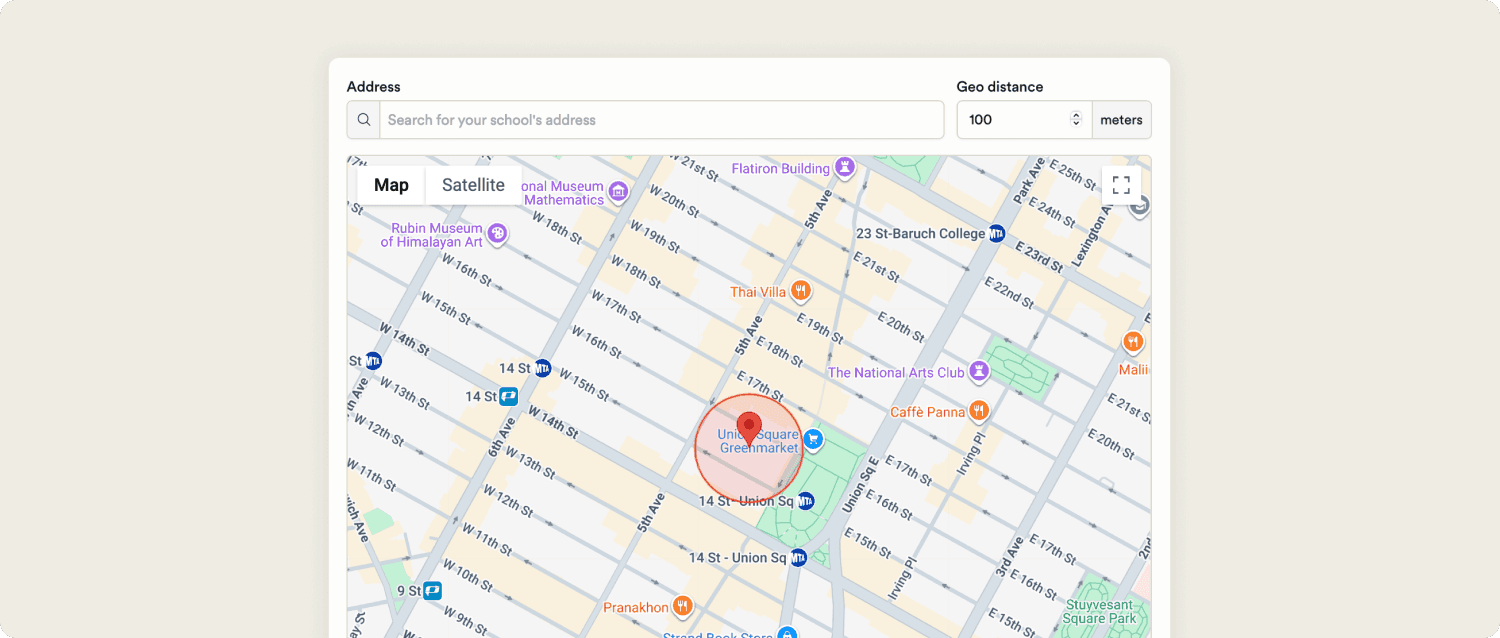
Door access now supports geofencing, allowing programs to require users to be physically near an approved location before unlocking doors, with additional admin controls over how it’s applied.
Family Communication
Observation posts can now be created and edited from the web feed, including linking them to lesson plan activities.
Learning & Assessment
Observation posts can now be connected to lesson plan activities directly from the web feed, tying documentation more closely to classroom planning.
Platform, Integrations & Admin
Calendar editing permissions can now be controlled by role, giving admins more flexibility over who can manage events.
Enterprise views now show integration status for connected programs, including export support.
Tables now support shift-click to select multiple rows, making bulk actions faster.
Marketing & CRM
CRM meetings now have filters, additional columns, and CSV downloads, making it easier to manage and analyze bookings.
CRM reporting now remembers the last dashboard selected when returning to the page, making it easier to pick up where you last left off.
Custom program fields can now be used in CRM email merge tags for more personalized outreach.
CRM filters now support “is empty” and “is not empty” conditions for more precise segmentation.
When adding a CRM lead, guardian and student custom fields are now surfaced in the correct sections with key fields visible by default.
Fixed duplicate lead activity that could occur when one email matched multiple records.
Fixed “does not contain” filters so they work correctly on lead fields.
Fixed call/SMS lead conversion so the sidebar updates immediately without unexpected redirects.
Fixed an incorrect unsaved-changes warning in the styled email editor.
Enrollment & Paperwork
Staff-only fields in fillable PDFs now remain visually distinct in both preview and submission views, making internal-only data clearer.
Attendance & Ratios
Door access now supports geofencing, allowing programs to require users to be physically near an approved location before unlocking doors, with additional admin controls over how it’s applied.
Family Communication
Observation posts can now be created and edited from the web feed, including linking them to lesson plan activities.
Learning & Assessment
Observation posts can now be connected to lesson plan activities directly from the web feed, tying documentation more closely to classroom planning.
Platform, Integrations & Admin
Calendar editing permissions can now be controlled by role, giving admins more flexibility over who can manage events.
Enterprise views now show integration status for connected programs, including export support.
Tables now support shift-click to select multiple rows, making bulk actions faster.
Previous releases

Auto-Detect Fillable PDF Fields, Redesigned Assessments, & Website Chat in CRM Inbox
Enterprise Custom Reports & Bulk SMS Sending For Leads

Enterprise Lesson Plans, Book Meetings Through API, Communication History
Enterprise Custom Reports & Bulk SMS Sending For Leads

Call Support for API, Coming Due Paperwork Report, & Bulk Photo Downloads
Enterprise Custom Reports & Bulk SMS Sending For Leads

Book a demo and simplify every corner of your business.




Book a demo and simplify every corner of your business.